Ore Factory Squad Compass, Depth & Equipment Wheel
Use or disable the digsite compass and depth indicator, then find placeable buildings in the updated Equipment Wheel radial menu.
Quick answer
At a digsite, the v1.1.0 helper shows your compass direction and underground depth. You can disable it in settings. The updated Equipment Wheel also puts placeable digsite buildings in a second radial menu after you select that group, with improved tap-and-hold behavior for opening and closing the wheel.
Use the current on-screen prompt for your keyboard, mouse, or controller. The official notes describe the behavior but do not publish one permanent control binding for every device.
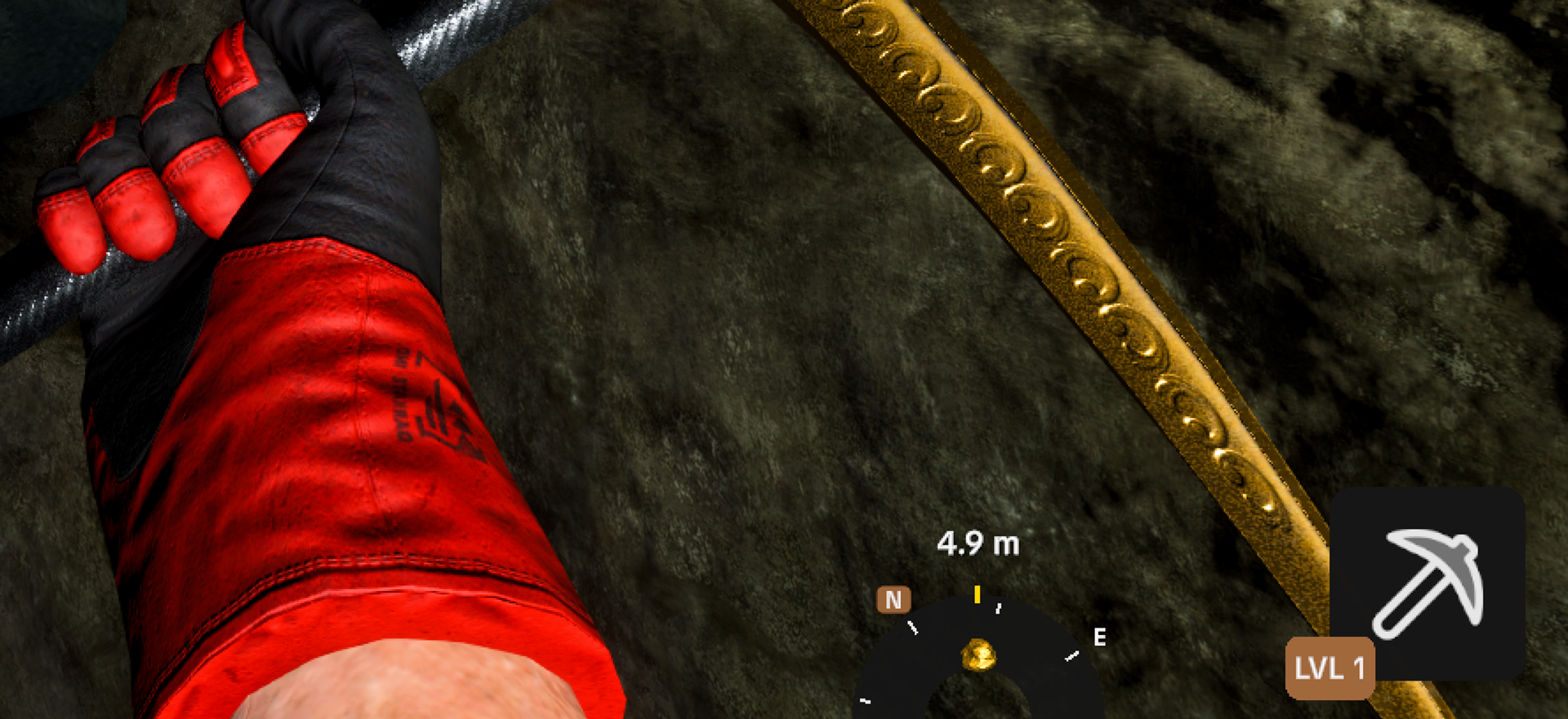
Use the compass and depth helper
The compass helps you keep a repeatable heading while extending a tunnel. The depth readout helps compare how far underground two points are. Record a direction and current depth at your entrance or branch point, then compare it after each major turn instead of relying only on visual memory.
For resource searching, combine the helper with the relevant tool: the Ore Detector and Dynamite guide covers ordinary resource and cave work, while the Oil Reserve Radar Mode guide covers the oil-specific search. The compass does not reveal resources by itself.
Disable the helper
Open Settings and turn off the compass/depth helper if it blocks the part of the screen you need. The v1.1.0 notes explicitly say the indicator can be disabled. Because menu wording can vary with language and later patches, follow the current settings label rather than an old screenshot.
| Goal | Useful control | Result |
|---|---|---|
| Keep the tunnel heading | compass direction | easier return and branch comparison |
| Compare vertical progress | depth indicator | a visible before-and-after reference |
| Clear more screen space | settings toggle | hides the helper |
| Place a digsite building | Equipment Wheel, then second radial menu | exposes grouped placeable buildings |
Find placeable buildings in the Equipment Wheel
Open the Equipment Wheel using the current prompt, select the placeable-building group, then use the second radial menu to choose the building. The update improves both tapping and holding, so distinguish a quick selection from keeping the wheel open.
Do not assume a missing building is an input failure. First check that you selected the building group, reached the second radial menu, and have the item or unlock needed by the current game. For a Mining Lift placement and return route, continue with the Mining Lift guide.
If the wheel behaves incorrectly
Update to v1.1.1, because that hotfix includes an Equipment UI fix. Then restart the game, confirm the active input device, and repeat one clean tap or hold. If keyboard and controller prompts are competing, use the disable controller or keyboard guide to isolate the active device.
Record the platform, current prompt, exact input, selected radial group, and observed result before reporting a repeatable failure.
Sources
The official v1.1.0 Masters of Oil announcement introduces the compass, depth indicator, settings toggle, and Equipment Wheel changes. The official v1.1.1 hotfix provides the current Equipment UI fix boundary.