Ore Factory Squad Mining Lift Guide: Lift Head & Elevator
Direct answer: place the Lift Head at the surface, add one Extension downward, and immediately climb the ladder both ways. Keep each exit clear, then pack one mining box and prove it reaches the surface before extending deeper. The player uses the ladder; there is no rideable elevator car.
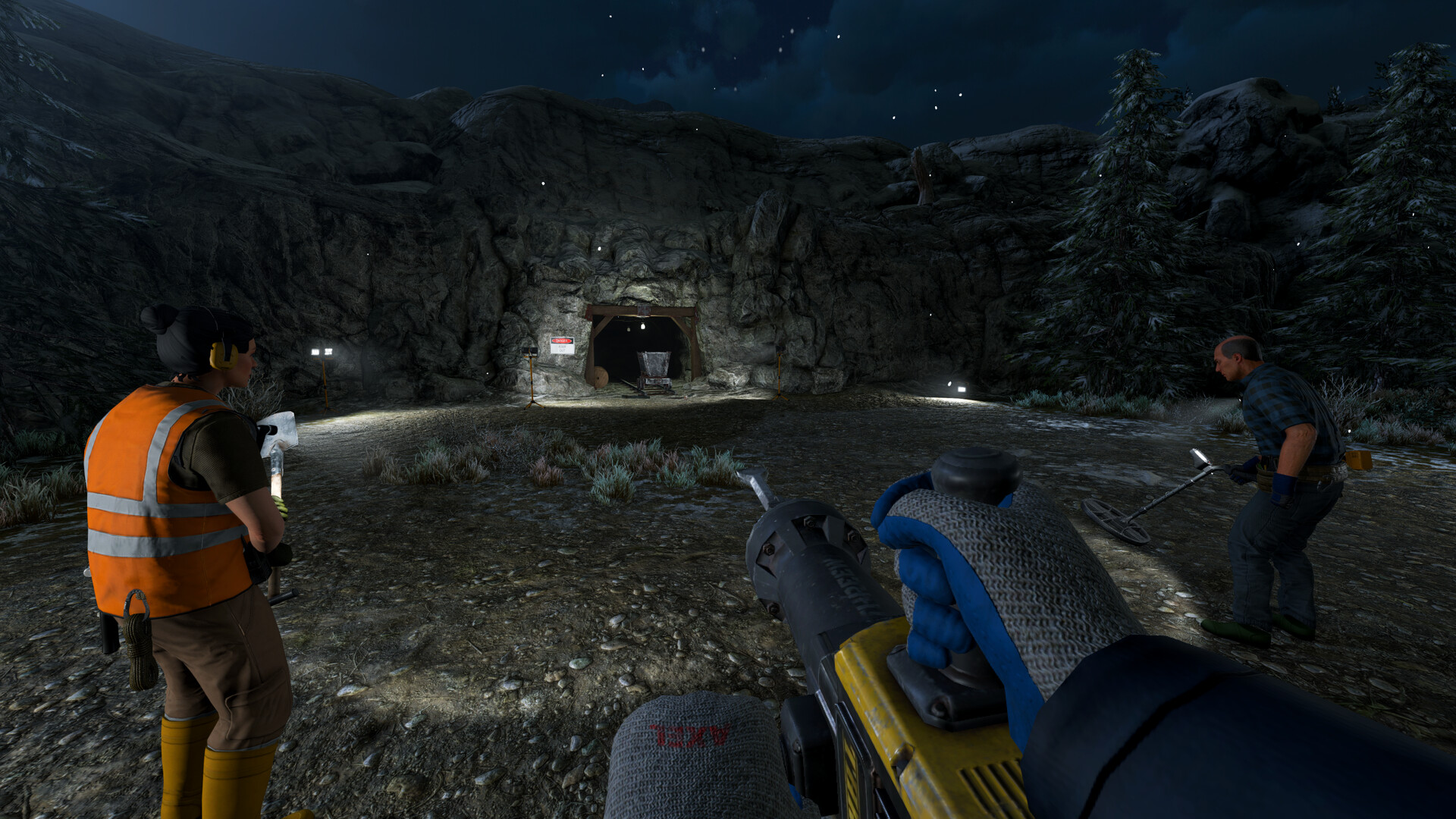
Our recommendation: build the Head and one Extension, test the ladder both ways, then go deeper. v1.0.6 added a horizontal part with 360-degree rotation and vehicle-bed loading. Check current shop prices before buying a stack of Extensions.
The Modular Mining Lift solves two related underground problems, but it does not work like a conventional elevator:
- the Lift sends packed mining boxes from underground to the surface;
- attached ladder sections give the player a reusable vertical route.
You still climb the ladder rather than ride in a lift car. v1.0.6 adds an official horizontal transfer part that can integrate with vehicle beds; this does not mean a whole vehicle travels through the vertical shaft.
DO THIS FIRST
Prove one working section before extending the shaft
Keep the first route simple: Head, one Extension, clear ladder, packed mining box. Add the horizontal vehicle-bed part only after that basic trip works.
QAQuick Answer
The reliable Mining Lift workflow is:
Check Remaining Resources
        │
        ▼
Build Lift Head at the surface
        │
        ▼
Add and test Lift Extensions
        │
        ▼
Climb through the ladder route
        │
        ▼
Mine → Pack Resources into a Mining Box
        │
        ▼
Load the Packed Box into the Lift
        │
        ▼
Recover the Box at the Surface
        │
        ▼
Truck → Sorting Station → Factory Storage
In our launch-week save, the Lift appeared in the Mine & Lift equipment section during Level 3 progression at these prices:
| Component | Price in that save |
|---|---|
| Mining Lift Head | $25 |
| Lift Extension | $10 each |
| Head + 1 Extension | $35 total |
These values are useful planning samples, not permanent prices or universal unlock rules.
FUNCTIONWhat the Mining Lift Actually Does
Official sources describe the structure as a Modular Mining Lift used for material transfer and vertical movement. The important wording is that players climb back to the surface using ladder sections.
The official Elevator Pitch achievement adds one more confirmed action:
Load a resource into your Mining Lift and use it.
Resources travel upward in packed mining boxes. Do not build the route around these unsupported assumptions:
- an internal elevator cabin;
- personnel or vehicle transport;
- a powered Lift or electrical terminal;
- a bottom conveyor intake;
- a top conveyor output;
- product-pallet transport;
- a published capacity or hoisting rate;
- downward transport for machines and vehicles.
Build your route around the confirmed box-and-ladder workflow.
PLANBefore You Build: Check Whether the Trip Is Worth It
Open the active property’s Remaining Resources panel before extending a deep shaft. The panel separates estimates into:
- Surface Layer;
- Mid Layer;
- Deep Layer.
A depleted Surface does not mean the property is empty. It may still contain useful resources below. At the same time, a non-zero estimate does not give you a coordinate or guarantee that another extension is economical.
Use this decision sequence:
- identify the resource blocking your next product or contract;
- confirm that resource remains in the active property;
- check whether it is in Surface, Mid, or Deep;
- reuse an existing route when possible;
- extend the Lift only when the remaining target justifies the time.
For resource locating after you reach the correct depth, see the Ore Detector and Dynamite guide.
BUILDStep-by-Step Mining Lift Setup
Step 1: Choose a clean vertical route
Pick a position that leaves room for:
- the Lift Head at the surface;
- connected Extensions below;
- an unobstructed ladder;
- a safe standing area at each current endpoint;
- a clear route from the surface cargo point to your vehicle.
Do not begin by buying a large stack of Extensions. Place the Head and first Extension, then test the connection before committing more money or excavation time.
Step 2: Place the Lift Head
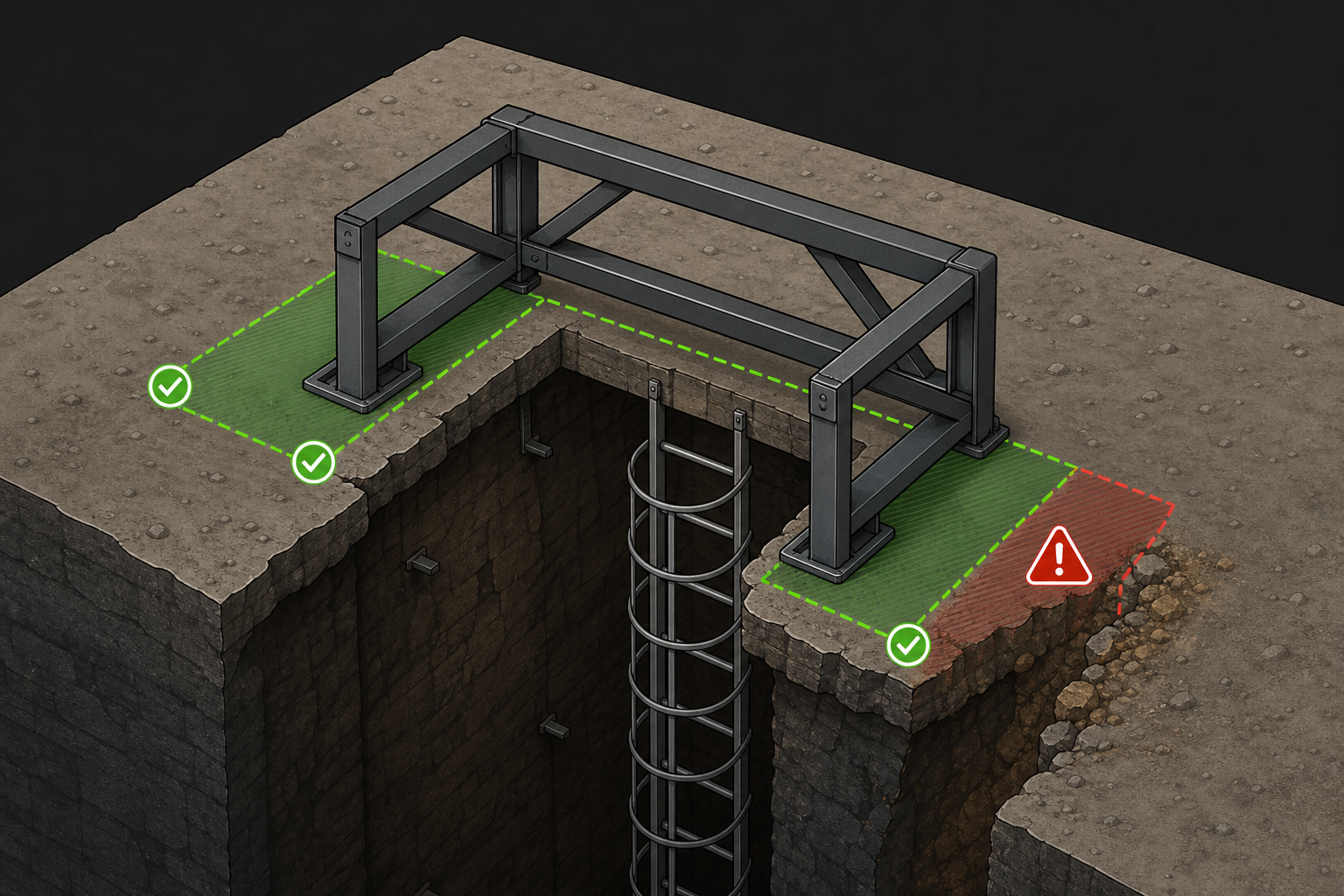
Select the Lift Head from the Mine & Lift equipment section and position it at the supported surface edge of the dig site.
After placement:
- inspect the ladder side;
- clear terrain that overlaps the intended shaft;
- test that you can approach and leave the top safely;
- identify where returned cargo will be collected.
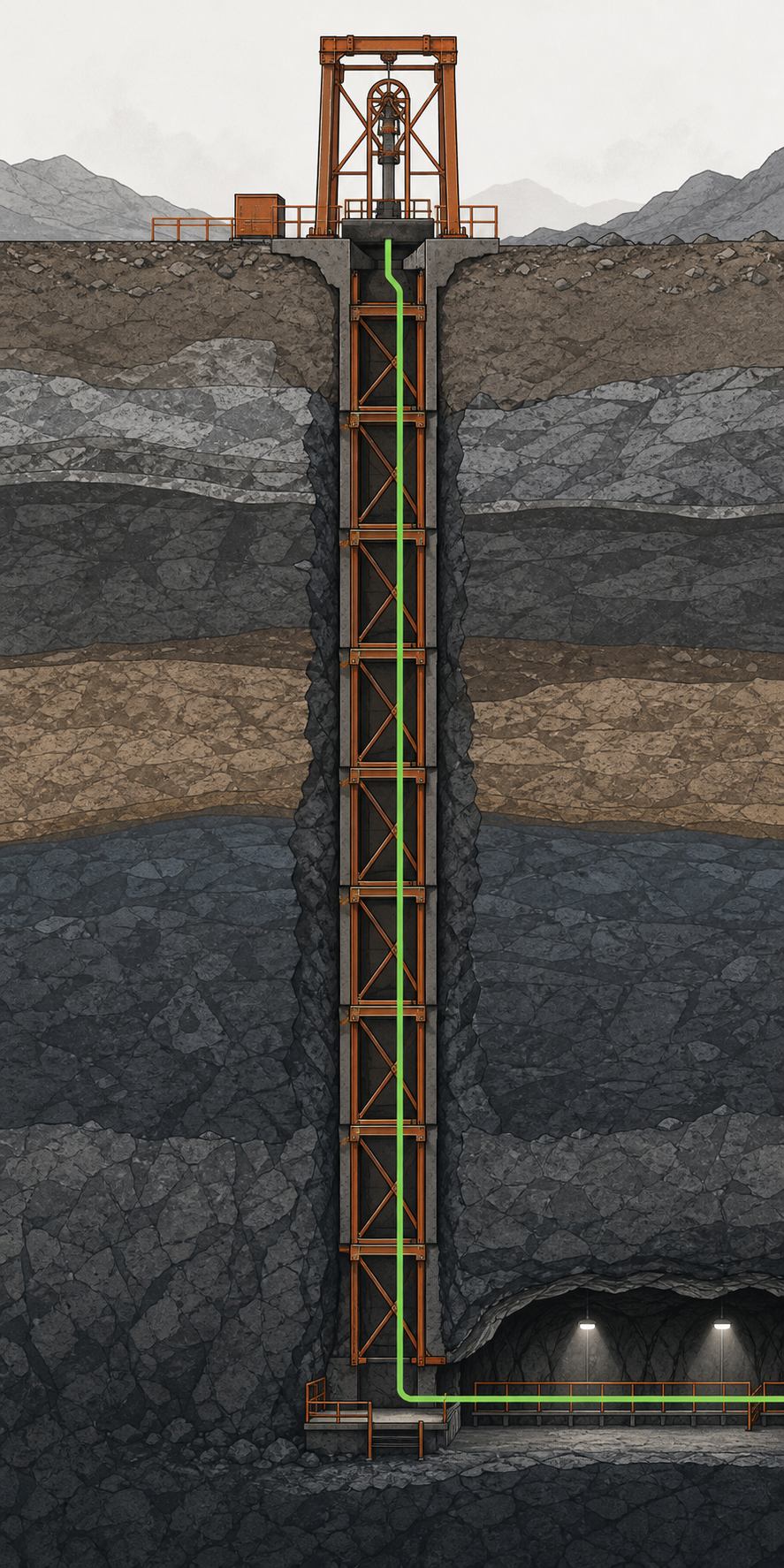
The Head starts the route. Extensions continue it downward.
Step 3: Add one Extension at a time
For each Extension:
- clear enough terrain for the next section;
- align it with the section above;
- confirm the ladder connection;
- climb down and back up;
- clear any wall or object blocking entry or exit;
- add another section only after the current one works.
This incremental test is more reliable than building a deep structure and discovering that one connection is unusable.
Step 4: Light the reusable route
The game officially supports underground:
- construction lights;
- flood lights;
- hanging lamps.
Use lights to identify:
- the Lift base;
- ladder entrances;
- changes in tunnel direction;
- box staging areas;
- the main return path.
Use lights for visibility and wayfinding only. Do not expect them to control Robot or NPC paths, and do not waste money following a fixed lamp-spacing formula.
Step 5: Mine and pack the cargo
At the working depth:
- locate the required resource;
- mine it with an appropriate tool;
- place the recovered material into a mining box;
- complete the box’s packing step;
- move the packed box to the Lift;
- send it to the surface.
Do not treat loose ore, unfinished boxes, finished-product pallets, and packed mining boxes as interchangeable cargo types.
Step 6: Complete the surface handoff
The Mining Lift does not finish the factory intake route by itself.
The tested return flow is:
Packed Mining Box
      │
      ▼
Mining Lift Surface
      │
      ▼
Cargo Vehicle
      │
      ▼
Sorting Station
      │
      ▼
Internal Factory Storage
The Sorting Station transfers raw resources into Factory Storage. Finished products later remain on physical product pallets. Keeping those storage systems separate prevents many production and contract mistakes.
LAYOUTA Practical Underground Layout
Keep the first layout focused on a clear ladder route and manual box handling:
[ Surface Vehicle Staging ]
            │
    [ Mining Lift Head ]
            │
     [ Ladder Section ]
            │
     [ Lift Extension ]
            │
     [ Ladder Section ]
            │
   [ Lit Working Landing ]
      │              │
      │              └──► [ Clear Return Tunnel ]
      ▼
[ Packed Box Staging ]
      │
      ▼
[ Active Mining Route ]
Leave enough room at the landing to turn, place a light, and handle one box without blocking the ladder.
FIXTroubleshooting
| Problem | Likely check | Response |
|---|---|---|
| Cannot climb between sections | Extension alignment, terrain blocking the ladder | Clear the shaft and test the connection from both directions |
| Can descend but cannot return | Exit clearance at the lower section | Open a standing area before extending deeper |
| Box will not use the Lift | Cargo may be loose or not fully packed | Finish the mining-box packing step and try again |
| Returned resources do not appear in Factory Storage | Surface transport and Sorting Station | Move the box to the factory and process it through the Sorting Station |
| Remaining Resources lists a target but Detector reading is distant | Wrong property layer | Scan again from the correct depth rather than extending one horizontal tunnel forever |
| Deep route is hard to find | Sparse lighting or unclear branch layout | Light the Lift base, junctions, and return path |
| Secret Cave has no resources | Old game version | Update to v1.0.1 or later; the launch hotfix addressed empty generated caves |
AVOIDWhat Not to Build Around
The following claims are not supported well enough for a current guide:
- a second Lift for vehicles;
- automatic drills feeding a Lift input buffer;
- a Splitter automatically accepting cargo directly from an undocumented Lift belt port;
- a crusher or kiln operating in the dig site;
- belts connected to Lift ports;
- generators, extension cables, wattage, or breakers;
- a fixed Lift capacity or vertical throughput formula;
- NPC night workers emptying underground storage.
The July 21 roadmap historically listed the filtering system and 45-degree belts as planned; v1.0.6 later shipped Smart Filters, Buffer Belts, and Elevated Belts, and v1.0.9 added raised Merge, Splitter, and turn pieces. Those releases still do not prove that a Mining Lift has direct conveyor ports or that an underground Splitter can automatically receive Lift cargo, so keep that narrower boundary when designing below ground.
EXPANDWhen Should You Add Another Lift?
A second Lift can be a reasonable experiment when two distant shafts both contain valuable resources, but it is not a universal late-game requirement.
Before spending time on another structure, ask:
- Is the current target far from the existing ladder route?
- Does the property still contain enough of that material?
- Would another Extension be simpler?
- Can the surface team recover boxes from both Heads?
- Have you already moved waiting cargo out of the first landing?
Treat multiple Lifts as separate access routes, not as a proven method for separating ore types or guaranteeing maximum throughput.
If you are still building the first factory loop, begin with the first-hour progression guide. Before extending deeper, check the property and Remaining Resources guide; once the correct layer is reachable, use the Ore Detector and Dynamite guide.
FAQFrequently Asked Questions
Can players ride the Mining Lift?
No. Players climb the attached ladder sections; there is no rideable elevator cabin in this workflow.
Can the Mining Lift carry a Forklift or truck?
v1.0.6 supports connecting the new horizontal Mining Lift part to vehicle beds. The official note does not say a Forklift or truck can travel through the vertical shaft.
How does the Lift Head load a vehicle?
The official v1.0.6 notes say the Lift Head detects a nearby vehicle bed, automatically moves upward, and spins its lights while working. Use that as a named handoff behavior, not as proof of a universal range, speed, or compatible-vehicle list.
Is the Mining Lift the game's elevator or Aufzug?
Yes, players often call the Modular Mining Lift an elevator or Aufzug, but you still climb its ladder route.
Can I connect conveyors directly to the Lift?
Do not plan around automatic bottom and top conveyor ports. Use the packed-box handoff described above.
Does the Mining Lift need power?
No player-built generator, breaker, or power cable is part of this setup.
How many Extensions should I buy?
Buy and test them incrementally. The required count depends on the target layer, terrain, and the current property.
NEXTRelated Guides
Sources
- Ore Factory Squad official Steam page
- Official v1.1.1 hotfix (current version status)
- Historical v1.0.9 mechanic source
- Official v1.0.6 Mining Lift Head and vehicle-integration notes
- Official announcements and patch notes
- Official Steam achievements
- Launch-week Mining Lift test
- Remaining Resources and property test
- Game Launch Central Mining Lift chapter — launch-day topic context only; official patches and dated tests define the mechanics above.