Ore Factory Squad Tanker Truck & Oil Tank Transfer Guide
Load Crude Oil at the Pipe Head, move it by Tanker Truck, unload it into an Oil Tank, and diagnose a full truck or stalled transfer without guessing speeds.
Quick answer
Use the Tanker Truck as the handoff between the Pipe Head and your factory Oil Tank. First load the truck at the extracted reserve, then move it to the Oil Tank and confirm the transfer before adding a Refinery. In v1.1.1, the Tanker to Oil Tank transfer timing was adjusted to match the Oil Pipe Head, and a full tanker no longer keeps receiving oil from the Pipe Head.
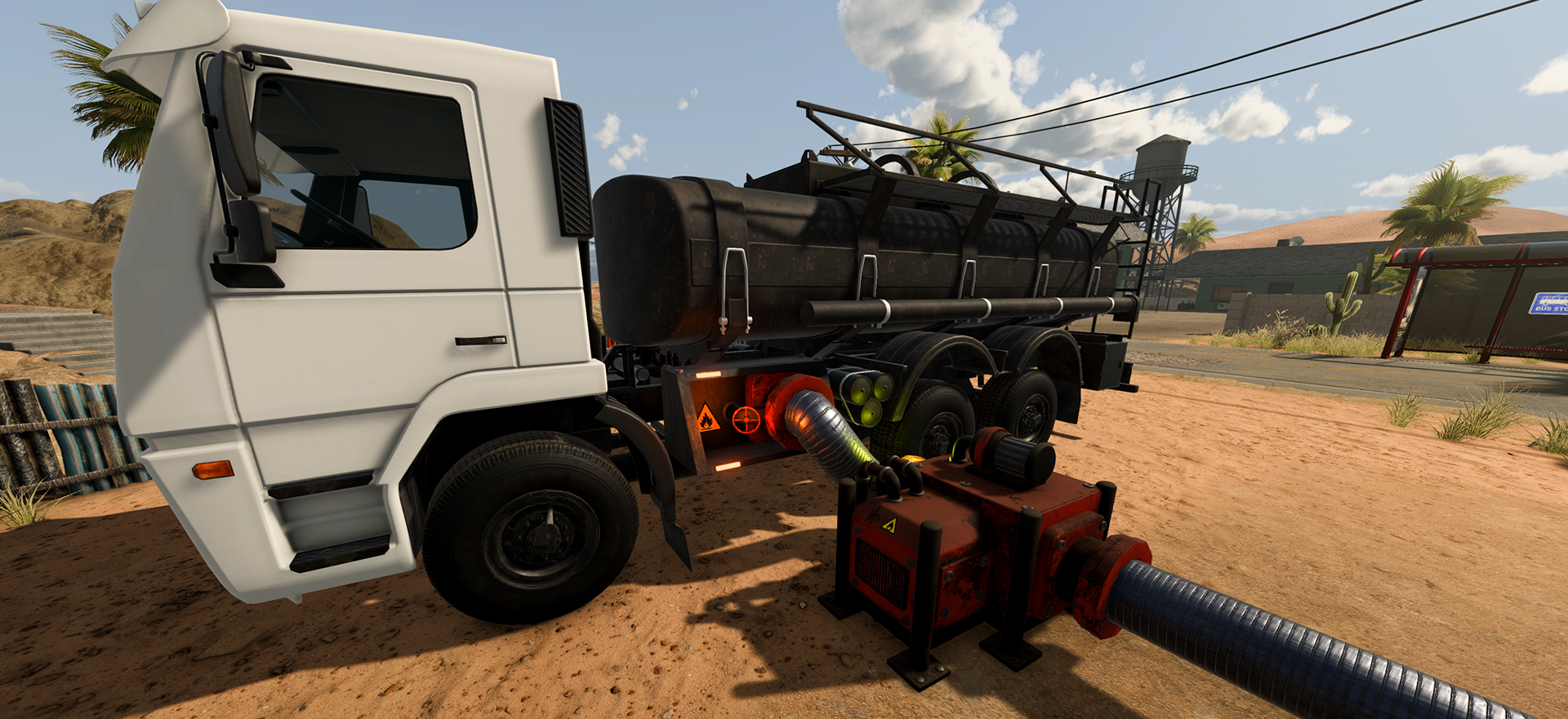
Load one Tanker first
- Confirm the reserve is cleaned and the Pipe Head is working.
- Bring one Tanker Truck to the extraction handoff.
- Turn on the relevant equipment and watch that one truck rather than adding more vehicles.
- If the truck is full, stop expecting the Pipe Head to continue filling it.
- Move the loaded truck to the factory Oil Tank.
This is a diagnostic order. It helps you distinguish a failed extraction from a full vehicle or a later factory-transfer problem. It does not claim a fixed load time or a recommended number of Tankers.
Unload into the Oil Tank
Place the Oil Tank where you can reach it with the Tanker and leave room to inspect the transfer. Wait for the tank handoff to show progress before placing the Oil Refinery. The v1.1.1 notes adjust the timing of this transfer, so compare current behavior only after the hotfix is installed.
If the tank does not receive oil, go back one link in the chain: is the truck actually loaded, is it in the right handoff state, and is the tank ready to accept the transfer? Change one condition at a time.
Slow, stopped, or confusing transfer
Do not publish a stopwatch result from a single setup as the game-wide speed. Community posts can reveal that players are confused about truck intake or unload speed, but they do not establish one correct timing. Use the official hotfix as the current baseline, then isolate the visible limit: empty reserve, Pipe Head state, full truck, tank handoff, or a later processing blockage.
Next machine after the Oil Tank
For the next production step, open Oil Refinery and Oil Processor explained. If you are planning where the tank and truck lane fit, use the four-zone oil factory layout. For the full chain, return to the Masters of Oil hub.
Sources
The official v1.1.0 Masters of Oil announcement names the Tanker Truck and Oil Tank. The official v1.1.1 hotfix is the source for the current Tanker-to-Tank timing and full-tanker boundary. The Steam discussions the oil truck dev and Great update, but please add a storage output with a pipe connector. were used only to identify player wording about intake, unload, and connection confusion; they do not establish a speed, socket rule, or defect.