Ore Factory Squad Oil Refinery & Oil Processor Explained
Understand the oil-machine order: unlock petrochemicals, feed Crude Oil to the Refinery, then use the Oil Processor for named later products without guessing ratios.
Quick answer
The Oil Refinery is the first machine after stored Crude Oil: the official update names Fuel and Bitumen as its outputs. The Oil Processor is the later step for products such as Asphalt Mix, Lubricant, Rubber Sheet, and Tire. Unlock the Petrochemical License, prove the Refinery has its Crude Oil handoff, then add the Processor only when you need a named later product.
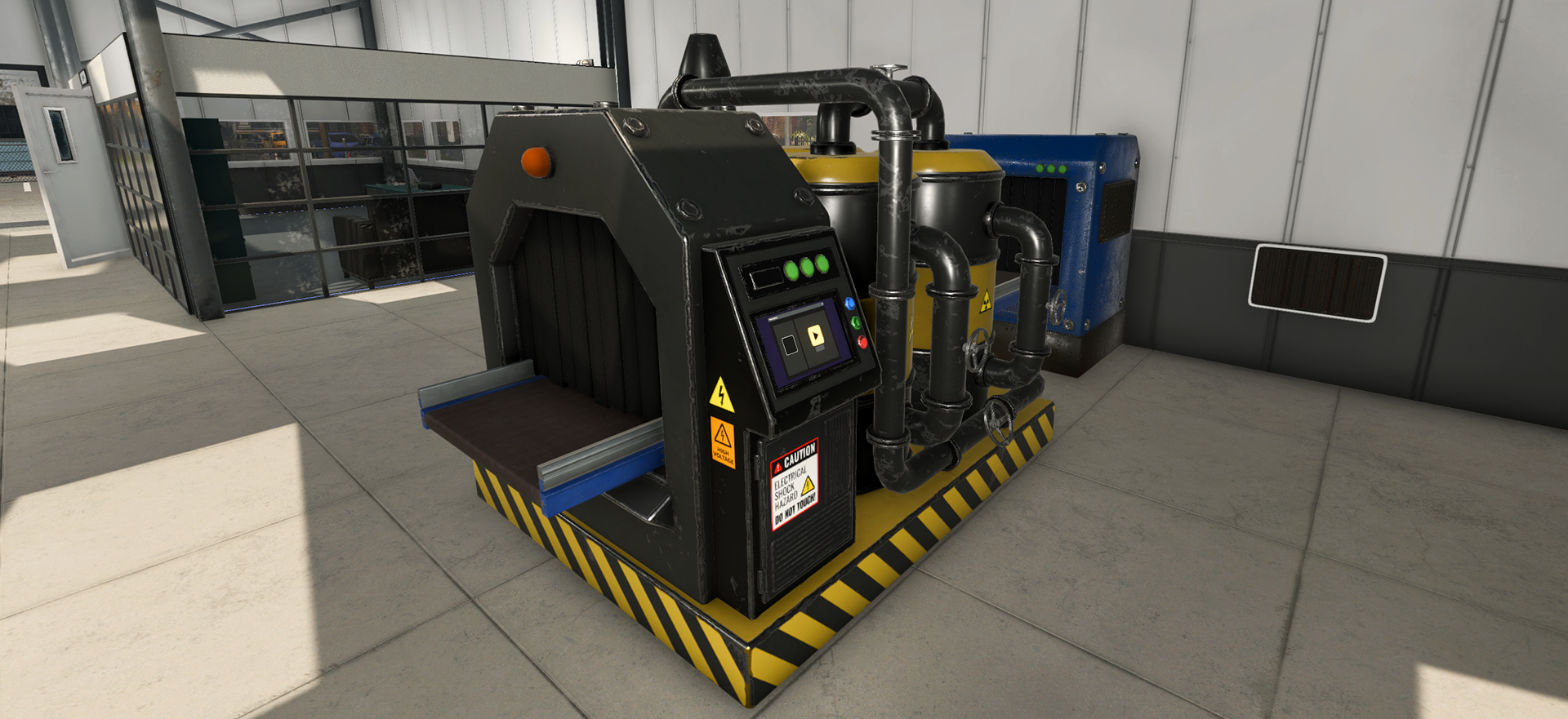
Keep the two machine jobs separate
| Machine | Start with | Officially named outcome | Do not assume |
|---|---|---|---|
| Oil Refinery | Crude Oil from the Oil Tank | Fuel and Bitumen | its full recipe, ratio, timing, or every connection point |
| Oil Processor | oil-based materials after the first stage | Asphalt Mix, Lubricant, Rubber Sheet, Tire, and other named later products | that it is the first direct Crude Oil destination |
The table is a role map, not a full recipe database. The announcement does not publish enough information to turn it into a fixed machine-ratio calculator.
Before you diagnose a machine
- Confirm the Petrochemical License is available for the oil content.
- Confirm the Tanker and Oil Tank handoff works.
- Use the Oil Refinery as the first Crude Oil production checkpoint.
- Identify the exact named product you want before placing the Oil Processor.
- Check one input and one output at a time rather than adding multiple production branches.
If Crude Oil is not reaching the factory, fix the Tanker Truck and Oil Tank transfer first.
No output is visible
Do not jump immediately to a guessed recipe or a hidden numerical ratio. Read the current machine UI and isolate the first missing handoff: empty source, blocked output, wrong machine stage, or an unmet progression condition. The v1.1.1 notes include oil recipe and contract balancing, so old launch-day figures should not be treated as current data.
Choose the next guide
Use the oil products reference when you need to distinguish Fuel, Bitumen, Asphalt Mix, Lubricant, Rubber Sheet, and Tire. Use the oil layout guide when the Tank, Refinery, and Processor compete for factory space. The Masters of Oil hub links the full route from reserve to product.
Sources
The official v1.1.0 Masters of Oil announcement is the source for the Petrochemical License, Oil Refinery, Oil Processor, Fuel, Bitumen, and named later products. The v1.1.1 hotfix notes oil recipe and contract balancing without publishing a complete current recipe table.