Ore Factory Squad Co-op: Fix Invites & Lobby Codes
In the current build, try a fresh Lobby Code first. If that fails, recreate the room once, verify the host's Steam session and permissions, and then try Steam joining. Do not change firewall, router, and game settings all at once.
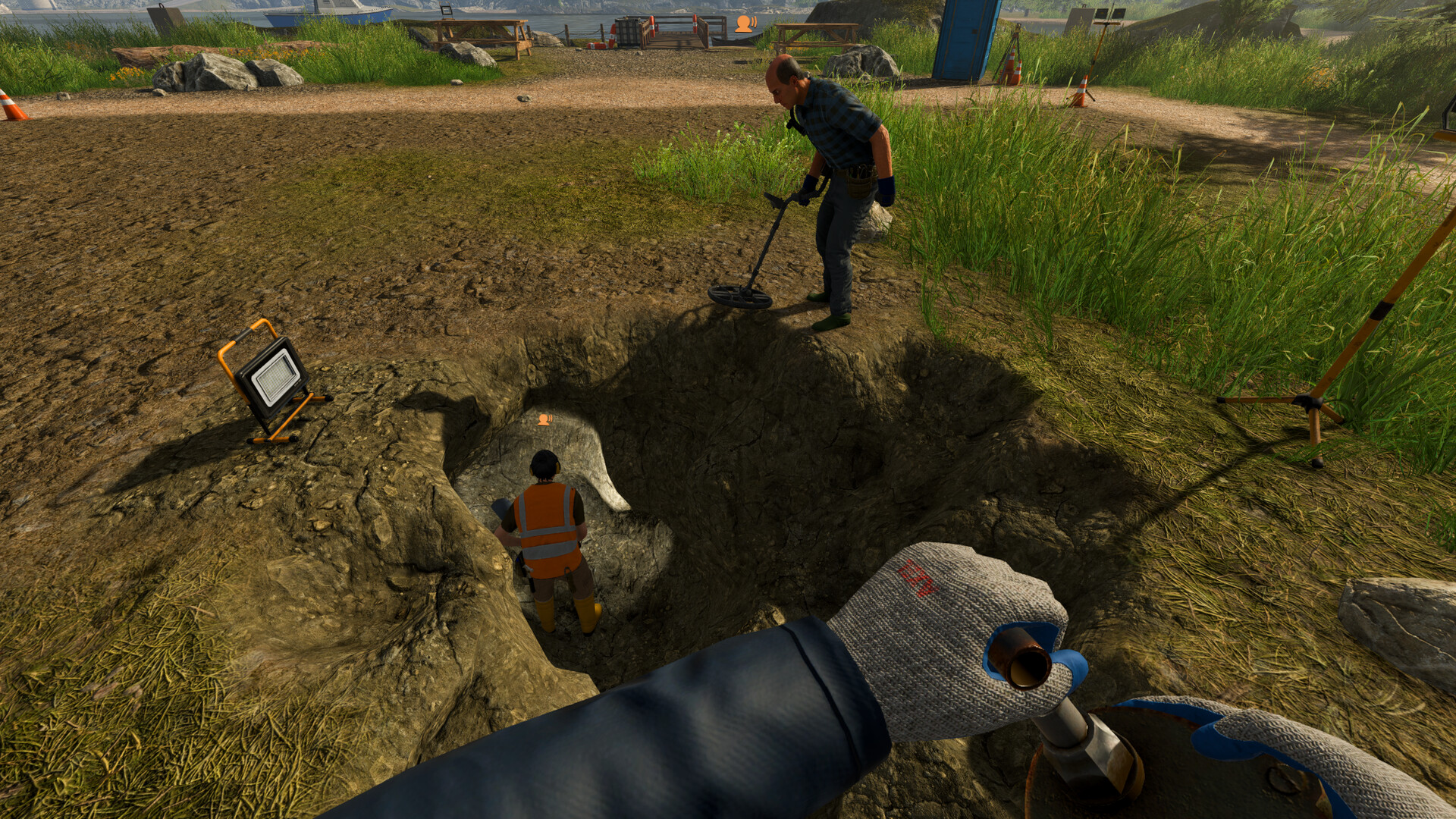
Ore Factory Squad supports solo play and online co-op for up to four players. The game does not assign fixed classes. Every role on this page is a suggested team agreement, not a locked profession or official “best build.”
STATUSv1.0.5 Invite Changes
The July 25 update rebuilt parts of lobby security and restored several join paths:
- Lobby Codes are enabled again and now use a protected 10-digit handshake;
- invite-only rooms are visible in the Server Browser again;
- direct Steam friend joining and invites from outside the game are enabled again;
- the multiplayer flow uses additional server-side protection and multi-step authentication.
If a friend cannot join, first confirm that every player is on the same current version and that the host selected the intended room visibility.
Recommended join sequence
- confirm that every player runs the full game, not a mix of demo and release versions;
- update every client to the same current version;
- let the host create the session;
- open the pause menu;
- use a direct Steam invite, the Steam friends list, or the current 10-digit Lobby Code;
- have the guest confirm the correct host and room;
- if one method fails, retry with a fresh room before changing unrelated network settings.
SHAREDWhat Is Shared?
The official game describes the squad as one operation. A documented launch-week two-player session reported shared:
- progress;
- cash;
- unlocked Licenses;
- Contracts and deadlines;
- property purchases.
That session also reported individual backpack capacity, meaning one player could carry more after a personal capacity upgrade.
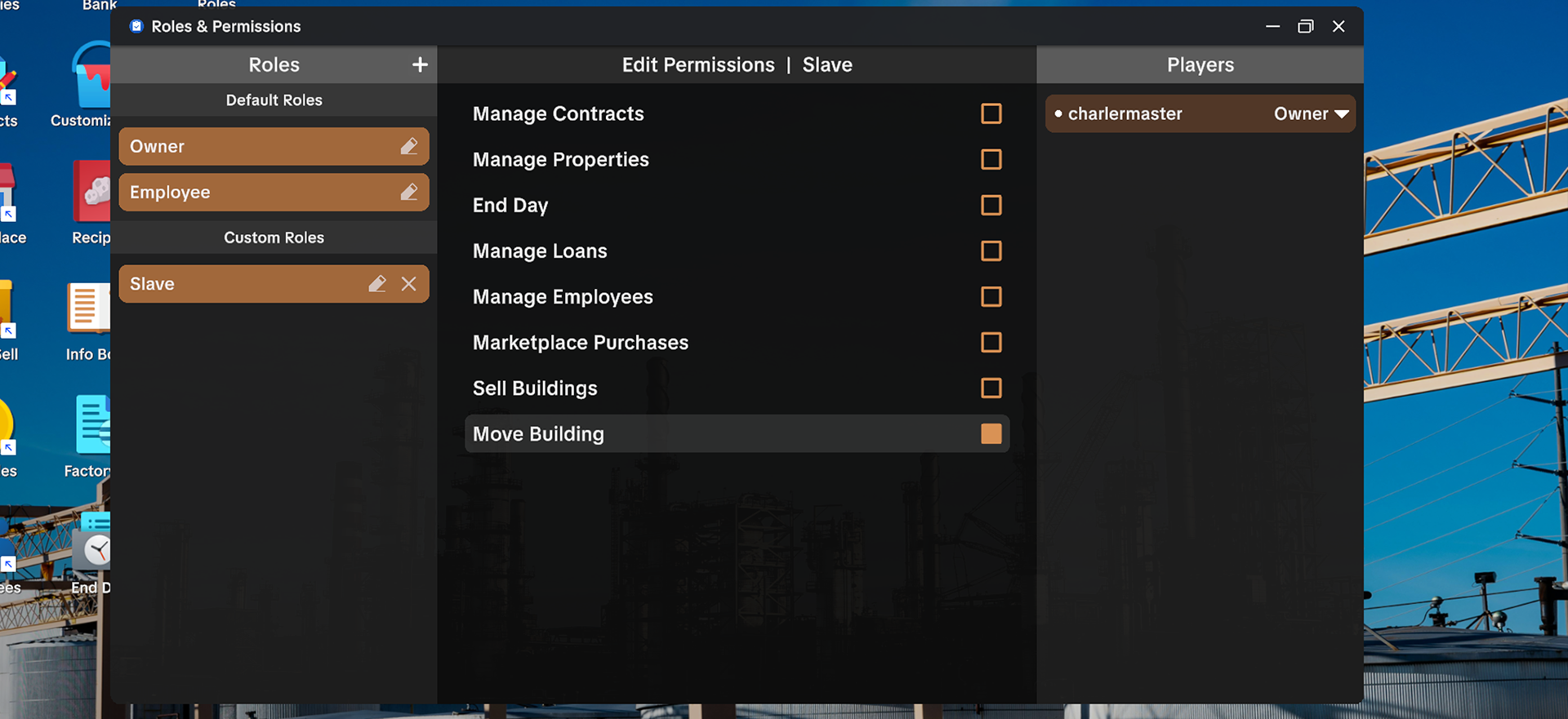
The v1.0.5 update added Roles & Permissions through the computer application. The default Employee role has more limited permissions for public-lobby protection, and hosts can edit roles or create custom roles.
Before the first expensive action, confirm:
- who can accept a Contract;
- who can buy a property or vehicle;
- who can place or remove a machine;
- who can use
End Day; - which upgrades are personal and which are shared.
Record the current behavior instead of relying on another group’s launch-week save.
COMMSCurrent Communication Tools
Voice Chat
Voice Chat is current. An official demo patch added input and output device selection.
Use short, specific calls:
- “Contract 208 selected.”
- “Need 15 Clay Bricks.”
- “Pallet Packer output blocked.”
- “Dynamite thrown. Clear the tunnel.”
- “Ending day after delivery.”
Emote System
The Emote System is current and intended for expression while playing with friends. Use the actions visible in the current Emote wheel for:
- confirming a handoff;
- marking a direction;
- signaling that an area is clear;
- celebrating a completed delivery.
The public announcement does not list every current Emote. Open the current wheel in your own build to see the available set.
Text Chat and permissions
Text Chat is current in v1.0.5. Hosts can also use the Roles & Permissions interface to restrict what public-lobby participants can do. The official screenshot shows where this interface lives; open it in the current build for the available permissions and defaults.
ROLESSuggested Roles by Squad Size
Two players
| Player | Suggested focus |
|---|---|
| Player A | Property resources, Detector, digging, packing mining boxes, Mining Lift |
| Player B | Sorting Station, production machines, tracked storage, Stock Sell, Contracts |
Switch when one side becomes idle. A fixed role is less useful than keeping the next complete production cycle moving.
Three players
| Player | Suggested focus |
|---|---|
| Player A | Underground route and resource recovery |
| Player B | Factory production and output pallets |
| Player C | Contracts, Pallet Packer, Forklift, cargo vehicle, Delivery Gate |
This split works well when one person can continue mining while another completes the slowest product and the third clears delivery outputs.
Four players
| Player | Suggested focus |
|---|---|
| Player 1: Miner | Remaining Resources, Detector, excavation, mining boxes |
| Player 2: Surface Logistics | Recover Lift cargo, truck it to the Sorting Station, monitor raw stock |
| Player 3: Production | Select recipes, watch first outputs, maintain finished-product pallets |
| Player 4: Contracts & Dispatch | Choose feasible orders, run Pallet Packer, Forklift, and delivery |
These are coordination zones, not exclusive permissions. The fourth player should help the current bottleneck rather than waiting beside an empty loading dock.
FLOWAccurate Team Workflow
    [ Contract and Stock Check ]
                  │
                  ▼
       [ Choose Exact Products ]
                  │
        ┌─────────┴─────────┐
        ▼                   ▼
    [ Mining Team ]    [ Factory Team ]
        │                   │
        ▼                   ▼
    Pack Mining Boxes   Select Correct Recipe
        │                   │
        ▼                   ▼
    Mining Lift         Finished Product Pallet
        │                   │
        └─────────┬─────────┘
                  ▼
           [ Pallet Packer ]
                  │
                  ▼
      [ Forklift → Vehicle → Delivery Gate ]
This flow does not require:
- an Automatic Pallet System;
- a Merger;
- underground filter Splitters;
- Lift conveyor ports;
- generators or power cables;
- fixed morning and afternoon shifts.
SESSIONStep-by-Step Co-op Session
Step 1: Agree on one complete objective
Before players spread across the map:
- check current cash;
- inspect active Contracts;
- identify the exact finished products;
- check tracked stock;
- choose one order or upgrade;
- agree before anyone spends shared money.
Avoid accepting several attractive orders when the factory cannot make their slowest products.
Step 2: Divide the current bottleneck
If a raw resource is missing:
- one player checks Remaining Resources;
- one prepares or extends the Mining Lift route;
- another protects factory cash and prepares the correct machine;
- the delivery player clears old pallets and outputs.
If all raw materials already exist:
- keep most players in the factory and delivery flow;
- do not send everyone underground out of habit.
Step 3: Use exact handoff language
Call out finished stages:
- say
Clay BlockorClay Brick, not “Clay”; - say
Limestone BlockorCement, not “Limestone stuff”; - say
Contract OutputorExcess Output, not “the red pallet.”
Precise labels prevent one player from converting or selling an intermediate another player reserved.
Step 4: Protect the Pallet Packer area
Keep clear space for:
- input product pallet;
- Contract Output;
- Excess Output;
- Forklift approach;
- cargo-vehicle loading.
One player should own the active packing sequence until the delivery load appears. That is a team convention, not a game permission.
Step 5: Confirm before End Day
A tested Contract with one day remaining expired when the player used End Day. Active machines could continue after dark in the same launch-week test.
Before advancing:
- read every active deadline;
- check whether a queue can finish during the current night;
- verify that no completed load remains at the warehouse;
- announce the action to the squad.
SAFETYDynamite Safety in Co-op
A close blast caused a visible player hit reaction in solo testing. Current evidence does not establish:
- a three-second universal fuse call;
- a fixed safe distance;
- guaranteed team kills;
- guaranteed destruction of machines, pallets, or vehicles.
Use a conservative team procedure:
- announce the target in Voice Chat;
- confirm the tunnel behind the thrower is clear;
- throw one stick;
- have every player remain away until the blast finishes;
- inspect before throwing another.
This is a safety convention, not a measured damage formula.
AVOIDCommon Co-op Mistakes
Buying without a shared budget call
One incomplete system can consume the cash needed for an achievable Contract. Announce large Licenses, properties, and vehicles first.
Treating suggested roles as permanent jobs
Move players toward the current bottleneck. Four miners are wasteful when the warehouse is full; four factory builders are wasteful when no required resource exists.
Advancing the day without checking deadlines
The action affects the squad’s shared timeline. Confirm every active Contract first.
Mixing Pallet Packer and Palletizer
The Pallet Packer prepares Contracts. The Palletizer belongs to Warehouse Automation. Do not have two players “fix” different machines under the same name.
Relying on default permissions without checking
Roles & Permissions are current in v1.0.5, but the announcement does not document every permission. Review the assigned role before allowing high-impact actions.
Assuming a bug without reproducing it
The old article claimed simultaneous conveyor editing creates duplication and pathing bugs. No reliable evidence supports that rule. Record version, host/guest action, object, and result before reporting a multiplayer bug.
New squads can follow the first-hour progression guide before dividing work. For a shared production objective, use the Contracts and Pallet Packer guide; for a clean underground handoff, use the Mining Lift guide.
FAQFrequently Asked Questions
How many players can play?
Up to four players in online co-op. The game is also fully playable solo.
Why can’t my friend see an invite-only room?
On v1.0.5, invite-only rooms are visible in the Server Browser again. You can also use a direct Steam invite or a protected 10-digit Lobby Code.
Do Lobby Codes work?
Yes, on v1.0.5. Lobby Codes were restored with a protected handshake and now use 10 digits.
Does the game have Text Chat?
Yes. Text Chat was added in v1.0.5. Voice Chat and Emotes also remain available.
Are co-op roles fixed?
No. The game encourages teams to split work, but the roles on this page are recommendations.