Ore Factory Squad Desert Property Guide
Prepare for the Desert property, its oil facility and old-pipe hazards, then route reserve searching into the current Masters of Oil workflow.
Quick answer
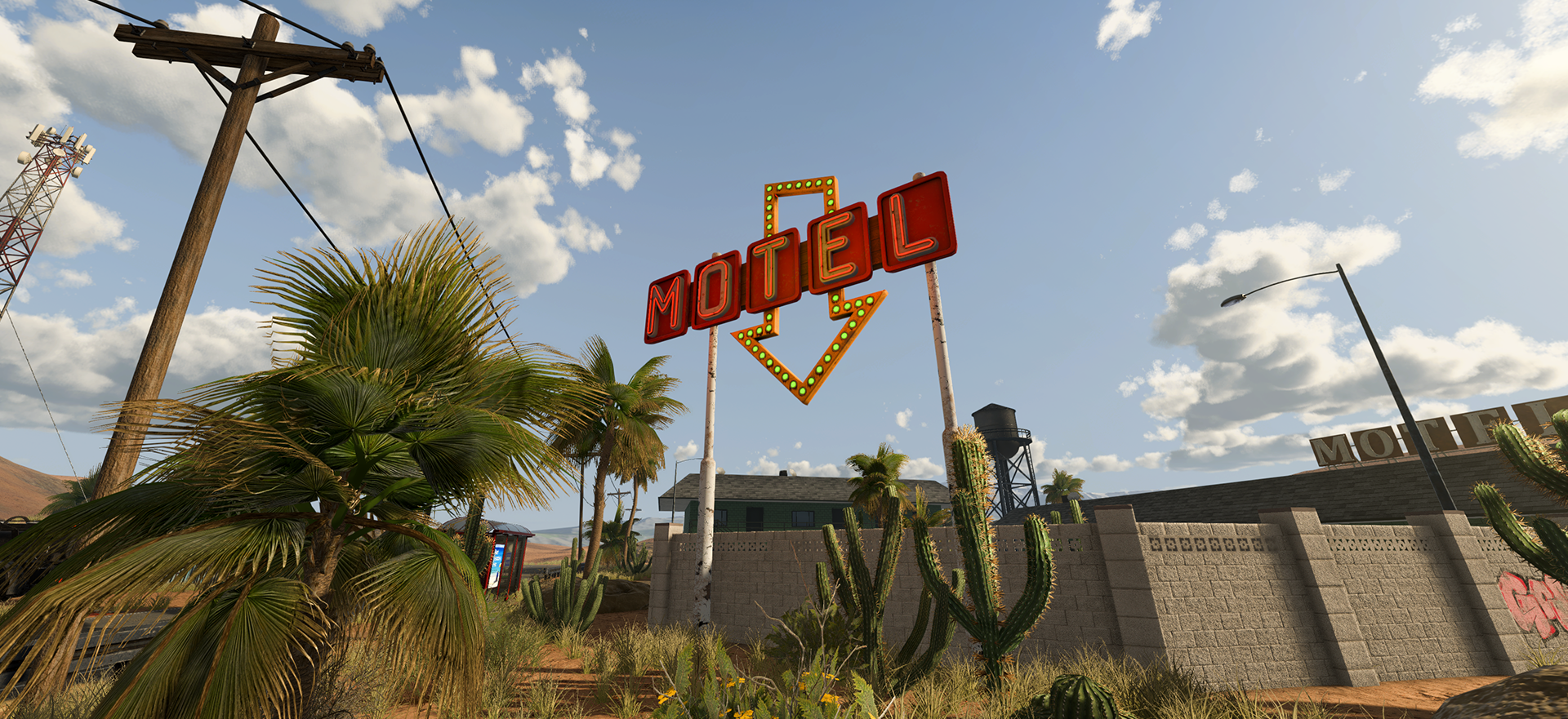
The v1.1.0 Desert property is an old settlement outside Redstone City with an active oil extraction facility, an abandoned motel, buried oil reserves, and old oil-pipe hazards. Treat it as the entry point to a new oil job, not as a guaranteed fixed reserve map. Check the property's current Oil Reserve Details, bring the tools needed to search and clean a reserve, and keep a safe route around old pipes.
The official update does not publish a universal purchase price, reserve coordinate, reserve amount, or complete resource mix. Read those values from the property screen in your current save.
Prepare before activating or traveling
- Open the property information and read the current oil details.
- Confirm that switching the Active Property fits your current ownership plan.
- Bring the Ore Detector for Radar Mode and the Jackhammer for reserve cleaning.
- Leave enough vehicle and inventory space for the task you intend to test.
- Plan one safe entrance and return route before following the oil signal underground.
- Keep clear of old pipe hazards until you understand their position and behavior in the current property.
For Active Property limits, replacement, and Remaining Resources, use the property ownership guide. That page answers whether and how to switch properties; this page answers what the Desert adds and how to prepare for it.
What is confirmed at the Desert
| Confirmed feature | Practical use | Boundary |
|---|---|---|
| Active oil extraction facility | establishes the property's oil context | does not prove that extraction is already connected or running |
| Buried Oil Reserves | gives Radar Mode a real search task | reserves do not use one fixed public coordinate |
| Abandoned motel and old settlement | provides recognizable property landmarks | landmarks are not a reserve map |
| Old oil pipes | treat the area as hazardous | the update does not publish a universal safe radius |
Do not copy another player's tunnel direction. Ore Factory Squad uses procedural underground resources, so use the current property information and your own Radar Mode reading.
Start the oil search
At the digsite, switch the Ore Detector to Radar Mode and follow the oil signal. When you reach the reserve, clean it with the Jackhammer before installing the Pipe Head. The Oil Reserve and Radar Mode guide gives the full search sequence.
Once the reserve is reached, move to the Oil Pipe Head extraction guide. After extraction works, use the Tanker Truck and Oil Tank guide for the transport handoff.
Do not overbuild on the first trip
Prove the chain in checkpoints: property information, Radar signal, reached reserve, cleaned reserve, Pipe Head extraction, Tanker loading, and factory unloading. If a checkpoint fails, stop there. Buying more downstream equipment will not repair an unreached or empty reserve.
For the complete reserve-to-product sequence, use the Masters of Oil guide.
Sources
The official v1.1.0 Masters of Oil announcement adds the Desert property and names its active oil facility, abandoned motel, buried reserves, and old oil-pipe hazards. It does not publish a fixed reserve map, price, or complete resource distribution.