How to Stack Building Boxes on Pallets in Ore Factory Squad
Place building boxes on pallets so several can be transported together while keeping the task separate from product-pallet and Merge Robot automation.
Quick answer
In v1.1.0, building boxes can be placed on pallets, allowing several building boxes to be stacked and transported together instead of carrying them one by one. Use this for moving building boxes toward a build area. Do not confuse it with finished-product pallet automation or the Merge Robot's same-item consolidation job.
The official update does not publish a pallet limit, weight rule, required key, compatible vehicle list, or automatic unpacking behavior. Follow the placement prompts shown by your current game and keep the first move small.
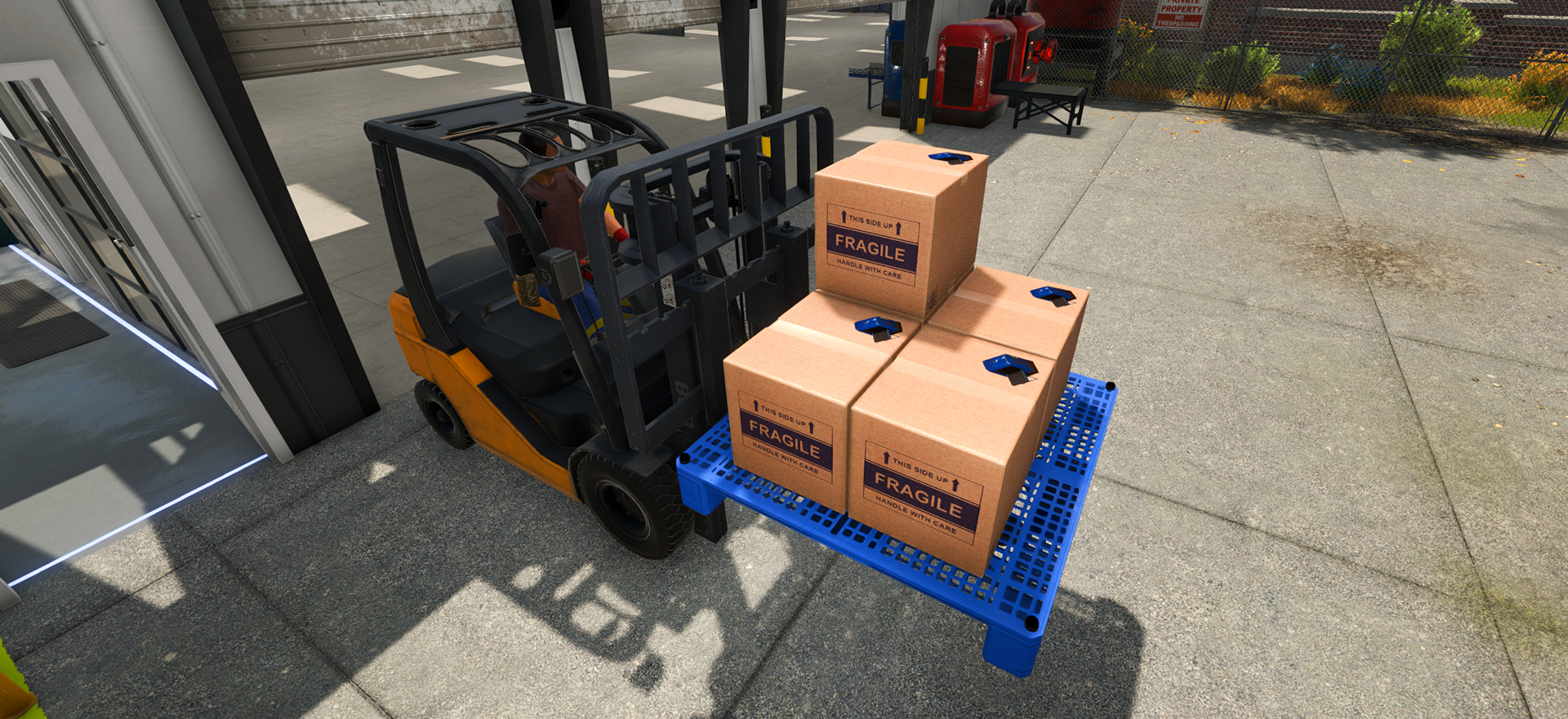
Move a group of building boxes
- Collect the building boxes you intend to relocate.
- Put a pallet in a clear area where you can approach and inspect it.
- Place the building boxes onto that pallet using the current in-game interaction.
- Confirm the boxes are resting on the pallet before moving it.
- Transport the pallet only with a method the current game accepts.
- Bring the pallet near the build area, then use each box as the construction plan requires.
This workflow uses the confirmed pallet feature without assuming a specific capacity, control input, vehicle, or robot route.
Keep three storage jobs separate
| What you are moving or changing | Relevant system | What it is not |
|---|---|---|
| Building boxes for later construction | Building boxes placed on a pallet | product inventory consolidation |
| Same-item stacks split across pallets in one Drop Zone | Merge Robot | building-box transport |
| Product pallets between machines, Drop Zones, storage, or delivery | Warehouse Robot and Pallet Dispenser workflow | proof that every building box is robot-compatible |
Open the Merge Robot guide for same-item pallet consolidation. For ordinary product-pallet movement, use the Warehouse Robot and Pallet Dispenser guide.
Use pallets as a relocation tool, not permanent clutter
Group boxes by the part of the factory where they will be used, keep the label or box identity visible, and move one understandable pallet at a time. If you cannot tell which boxes belong to which build, stop adding more and separate the next project before transport.
This is an editorial organization method. The update confirms that boxes can be stacked and transported on pallets, but it does not define a best grouping, storage density, or universal vehicle route.
If the factory move is larger than the boxes
Building-box pallets reduce repeated carrying, but they do not create more factory space or repair a poor production flow. Use the factory size and four Storage Outputs guide if floor space or output access is the actual blocker. Use the modular factory layout guide to decide where the equipment should go before relocating every box.
If placement or transport does not match an older video, rely on the current game's interaction and test with one pallet first. The release announcement alone is not evidence for exact controls, limits, or automation compatibility.
Sources
The official v1.1.0 Masters of Oil announcement states that building boxes can be placed on pallets so multiple boxes can be stacked and transported together. The earlier Steam discussion requesting pallet combining and three-dimensional storage is used only as player-demand evidence and does not define the released building-box mechanic.