Ore Factory Squad Pallet Dispenser & Warehouse Robot Guide
Attach a Pallet Dispenser to a machine or belt, fix red placement, prove one Robot move, and recover a stuck pallet task.
Quick answer
Place the Pallet Dispenser directly in front of a machine or belt output. That is the developer's placement rule, and the Dispenser automatically signals a Warehouse Robot. If placement stays red, clear the output face and test another valid machine or belt output before moving the rest of the warehouse. Then prove one manual move with a Pallet Drop Zone and Mark for Robot so you can separate placement, signal, route, and destination problems.
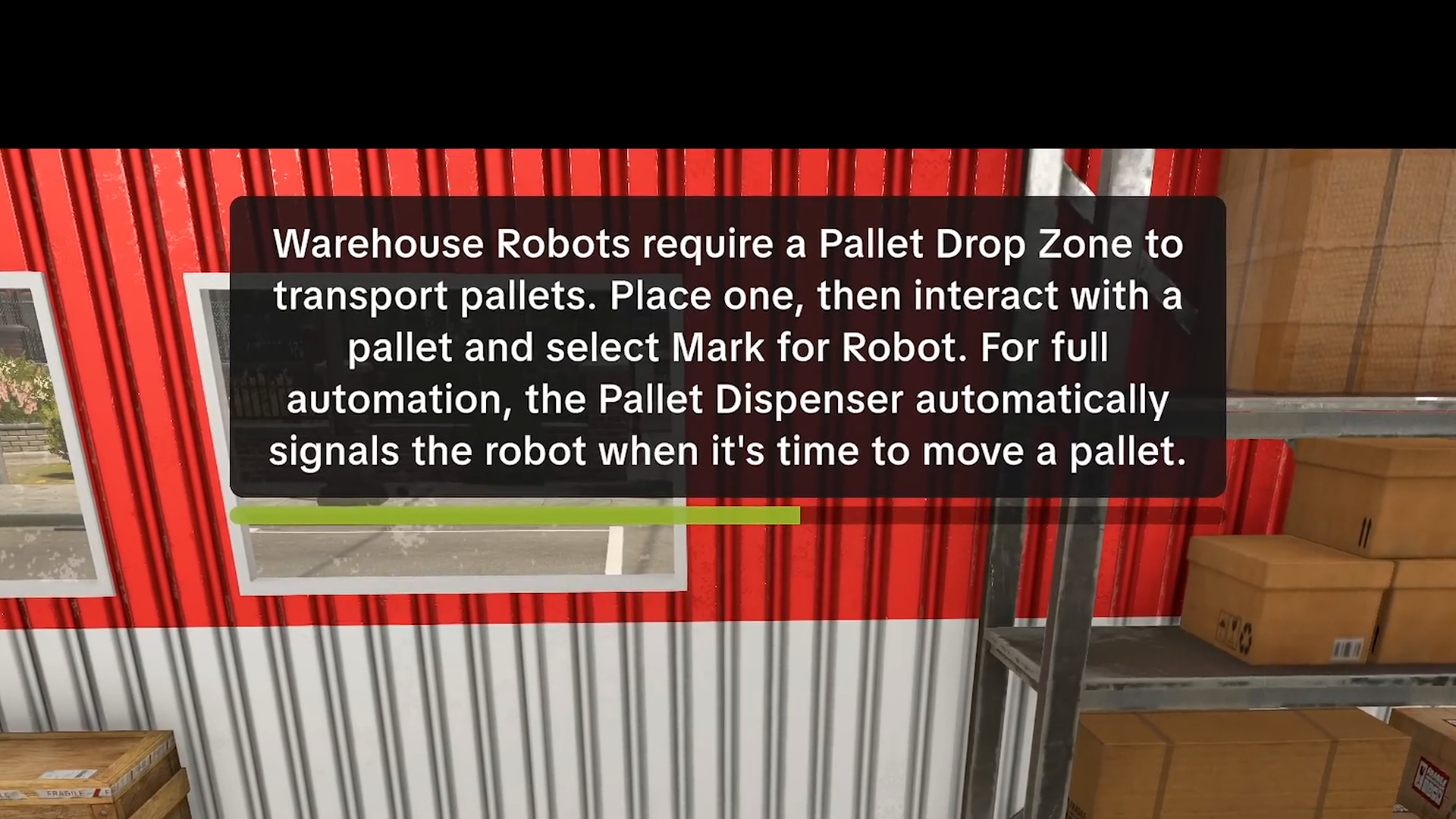
Prove one manual pallet move first
- Place one Warehouse Robot.
- Place one Pallet Drop Zone.
- Interact with one pallet and select Mark for Robot.
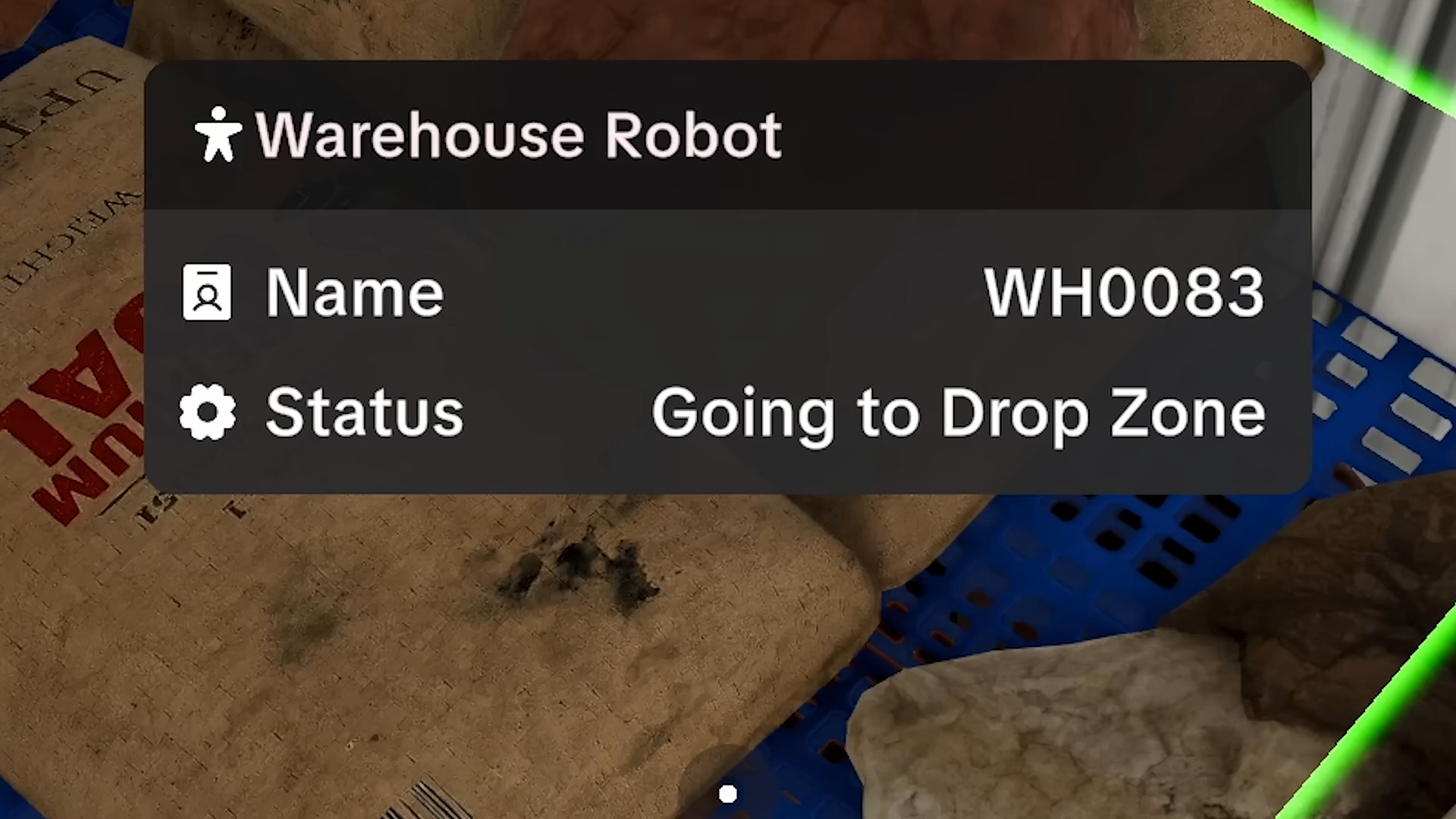
- Read the Robot status and watch that exact pallet reach the Drop Zone.
- Only then test a Pallet Dispenser signal, filters, more destinations, or more Robots.
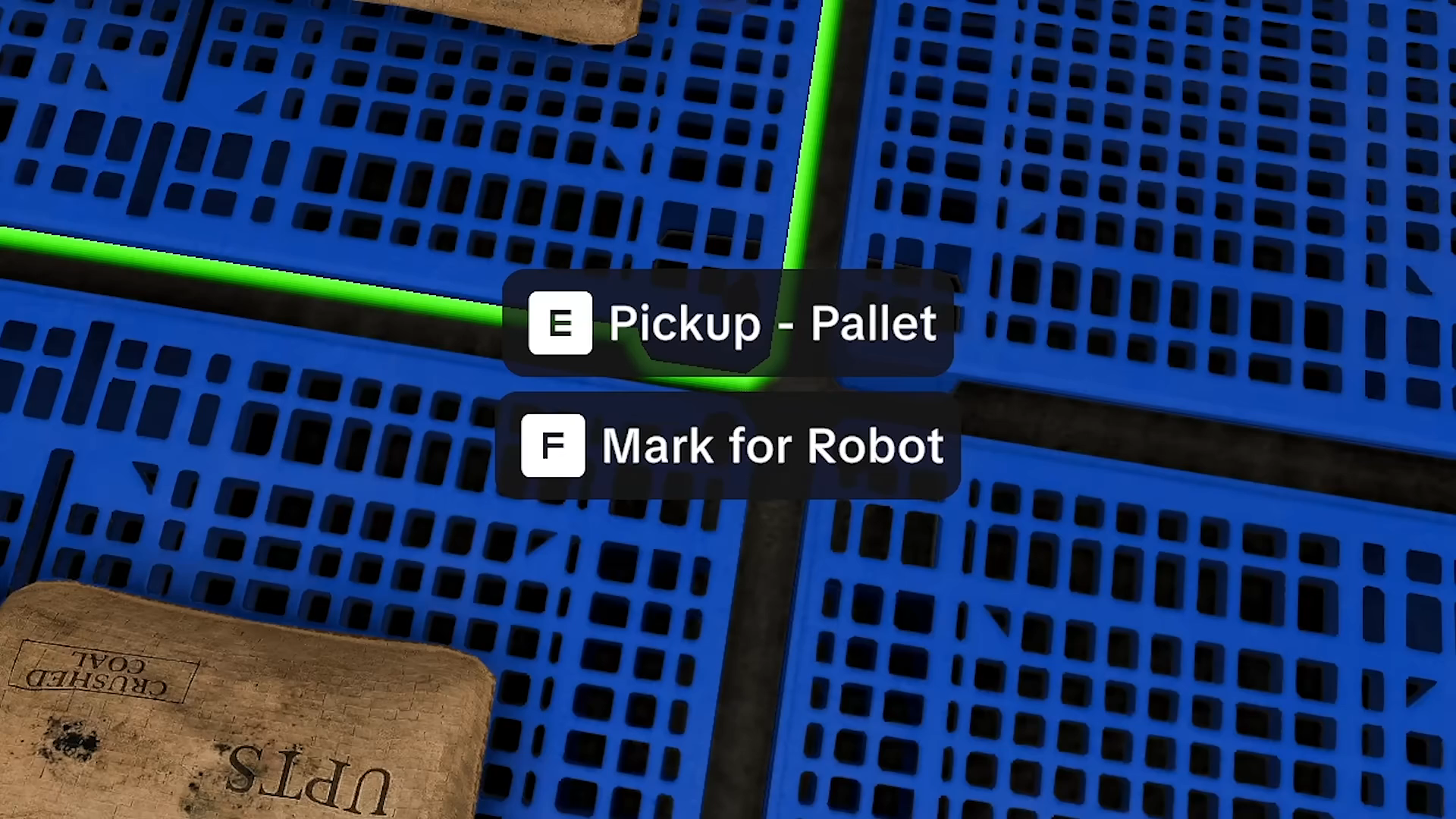
v1.0.9: choose the Robot's job before adding capacity
The official v1.0.9 notes say you can interact with a Warehouse Robot and choose whether it prioritizes:
- moving products into Storage; or
- pulling items from Storage for Packaging and Delivery.
Treat that as a purpose choice, not as a promise that one priority solves every blocked route. Use the smallest manual move above to prove the path first, then match the priority to the handoff you are testing. The patch also documents several stuck-Robot fixes and an option to cancel the Robot's current pallet-carrying task. If a current task remains stuck, cancel it, return to one pallet and one Drop Zone, and record what the status shows before rebuilding the whole line.
v1.1.1: keep new warehouse items separate from a proven pallet route
Masters of Oil lists a Merge Robot and stackable building boxes among its warehouse additions. The current version is v1.1.1, but its hotfix notes are about the oil workflow and do not publish a replacement rule for the Warehouse Robot, Pallet Dispenser, Palletizer, or Drop Zone sequence on this page.
Do not assume a new item fixes a red Dispenser preview, a blocked destination, or a stuck pallet task. Keep using the one-pallet test, then decide whether the new item solves a specific visible storage or layout problem. For oil-specific factory planning, use the oil factory layout guide.
Keep the three pallet machines separate
| Goal | Use this entity | What it does not mean |
|---|---|---|
| Move one pallet manually | Warehouse Robot + Pallet Drop Zone + Mark for Robot | A Palletizer is required for this one-pallet test |
| Signal a move automatically | Pallet Dispenser, as named by the documented tutorial | Every contract filter or save will work without faults |
| Build the achievement combination | Warehouse Robot + Palletizer + Drop Zone for Full Automation | Palletizer and Pallet Packer are the same machine |
| Pack customer-contract goods | Pallet Packer workflow | A Pallet Dispenser is the contract-packing machine |
Pallet Dispenser placement and signal checklist
| Visible symptom | Do this first | Avoid this mistake |
|---|---|---|
| Placement preview stays red | Attach the Dispenser in front of a machine or belt. Clear that output face, rotate or reposition the Dispenser, and test one valid output before moving the wider line | That it can stand anywhere in a clear floor area, or that every machine side is a valid attachment point |
| The signal does not produce a Robot move | Prove Mark for Robot manually, read the Robot status, confirm a Drop Zone, then match the Storage or Packaging and Delivery priority | That a Dispenser signal bypasses filters, routes, priorities, or a blocked destination |
| A full or partial pallet is not handled as expected | Read the current pallet label and machine status, then compare one pallet at a time | An exact fill threshold: the collected sources do not define one |
| The Robot keeps carrying or waiting on one pallet | Use the v1.0.9 option to cancel the current pallet task, clear the route, and repeat the one-pallet test | That cancellation fixes every save, route, or incompatible pallet |
The Dispenser belongs in front of a machine or belt output and automatically calls a Robot. If that valid placement still fails, leave the machine in place, read the status, clear nearby objects, and change one condition at a time.
Useful Robot fixes from v1.0.6
- Smart Filters use toggles for multiple allowed or blocked materials.
- A specific filtered output is no longer displaced by an unfiltered output.
- Warehouse Robots prioritize filtered Drop Zones more correctly.
- A failure where a Robot sometimes did not pick a pallet back up for loading after packaging was fixed.
- Elevated Belts can preserve floor space below, but the patch does not publish a universal clearance measurement.
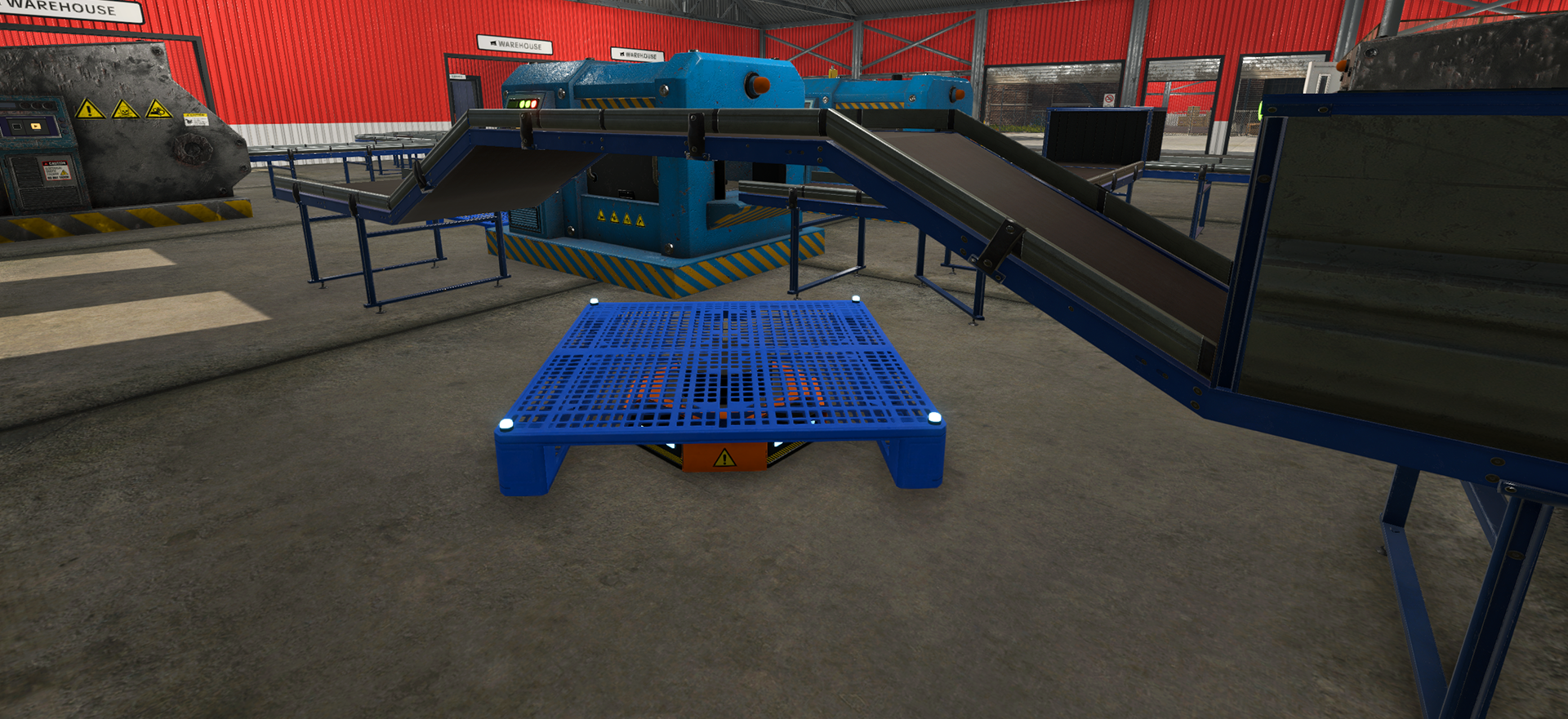
If the Robot still does not move
- Confirm a Pallet Drop Zone exists and the pallet is actually marked.
- Read the Robot status. No task points to the trigger; Going to Drop Zone points to the destination or path.
- If the current pallet-carrying task is visibly stuck, use the v1.0.9 cancellation option and retry the one-pallet test.
- Check whether the selected priority matches the handoff: Storage, or Packaging and Delivery.
- Add a filter only after the manual move succeeds.
If the Robot still fails after the one-pallet test, stop adding machines and Robots. Record the visible status, route, filter, priority, and destination so the remaining problem is specific enough to reproduce.
For belt and filter setup, use the automation and Smart Filter guide. For contract packing, use the Pallet Packer guide.
Sources
The developer Pallet Dispenser answer gives the machine-or-belt attachment rule and automatic Robot signal. The v1.0.9 notes cover Robot priorities, task cancellation, and the overlapping-pallet fix. The v1.1.0 Masters of Oil announcement is the source for the listed warehouse additions; the v1.1.1 hotfix is the current version boundary.
The older WaLaSy automatic-pallet walkthrough helps identify placement and handoff symptoms. Use the current developer answer and patch notes for the actual fix.