Ore Factory Squad Merge Robot: Same-Item Pallet Guide
Use the red Merge Robot to consolidate same-item pallet stacks in one Pallet Drop Zone without confusing it with normal warehouse transport.
Quick answer
Use the red Merge Robot when several pallets inside the same Pallet Drop Zone contain the same item. Its confirmed job is to move items from the smaller stack into the larger stack, reducing fragmented storage. It is not the normal Warehouse Robot for general pallet delivery, contract packing, or route recovery.
Start with one Drop Zone and two same-item pallets. If either pallet holds a different item or is outside that Drop Zone, you have not created the condition described by the official update.
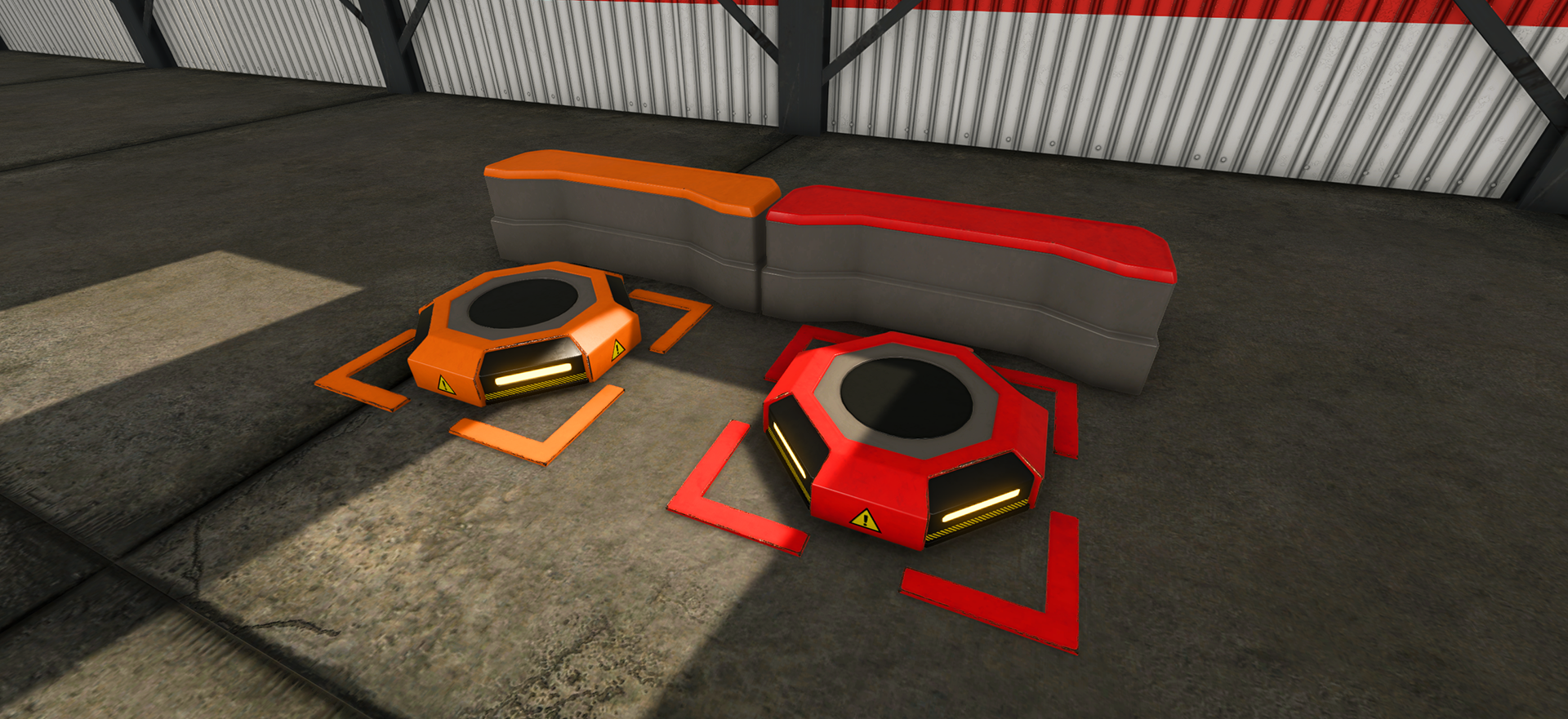
Set up a clean Merge Robot test
- Confirm that you are using the red Merge Robot, not an ordinary Warehouse Robot.
- Use one Pallet Drop Zone that you can inspect clearly.
- Put pallets containing the same item inside that Drop Zone.
- For an easy observation test, leave the stacks unequal so the announced smaller-to-larger direction is visible. Unequal stacks are a test arrangement, not a separately published activation rule.
- Observe that one merge task before adding other zones, filters, or warehouse traffic.
The update confirms the job and direction of the move. It does not publish a detection range, movement speed, supported-item list, stack limit, or promise that every arrangement will eliminate a pallet.
Merge Robot versus Warehouse Robot
| Task | Use | Boundary |
|---|---|---|
| Consolidate same-item pallet stacks inside one Drop Zone | Merge Robot | smaller stack moves into the larger stack |
| Move a marked pallet to a suitable Drop Zone | Ordinary Warehouse Robot | follow the proven mark, route, and destination checks |
| Signal pallet movement from a machine or belt output | Pallet Dispenser with the ordinary warehouse route | a Merge Robot is not documented as a replacement |
| Pack and deliver a customer Contract | Contract and pallet workflow | merging inventory does not complete the order |
For the ordinary route, use the Warehouse Robot and Pallet Dispenser guide. For sorting before pallets reach storage, use the conveyor and Smart Filter guide.
If nothing merges
Check only the confirmed conditions first:
- correct red Merge Robot;
- more than one pallet in the same Pallet Drop Zone;
- the same item on the pallets; and
- two same-item stacks, arranged with visibly different sizes only when you want an easy direction check.
If one condition is missing, correct it and repeat the small test. If all are present and the current game still shows no task, record the Robot status and pallet labels before rebuilding the warehouse. The official notes do not provide a universal recovery sequence, so an unrelated robot fix should not be presented as a guaranteed solution.
What the Merge Robot does not solve
It does not replace material sorting, repair a blocked belt, choose a profitable product, or transport building boxes. For building-box relocation, use stacking building boxes on pallets. When the whole storage area has become hard to inspect, use the modular factory layout guide and keep merging as one narrow warehouse job.
Sources
The official v1.1.0 Masters of Oil announcement identifies the red Merge Robot and describes same-item pallets in one Pallet Drop Zone being consolidated from the smaller stack into the larger one. The earlier Steam discussion requesting pallet-combining robots is demand evidence only; it does not establish the released Robot's full behavior.