How to Sell Products in Ore Factory Squad
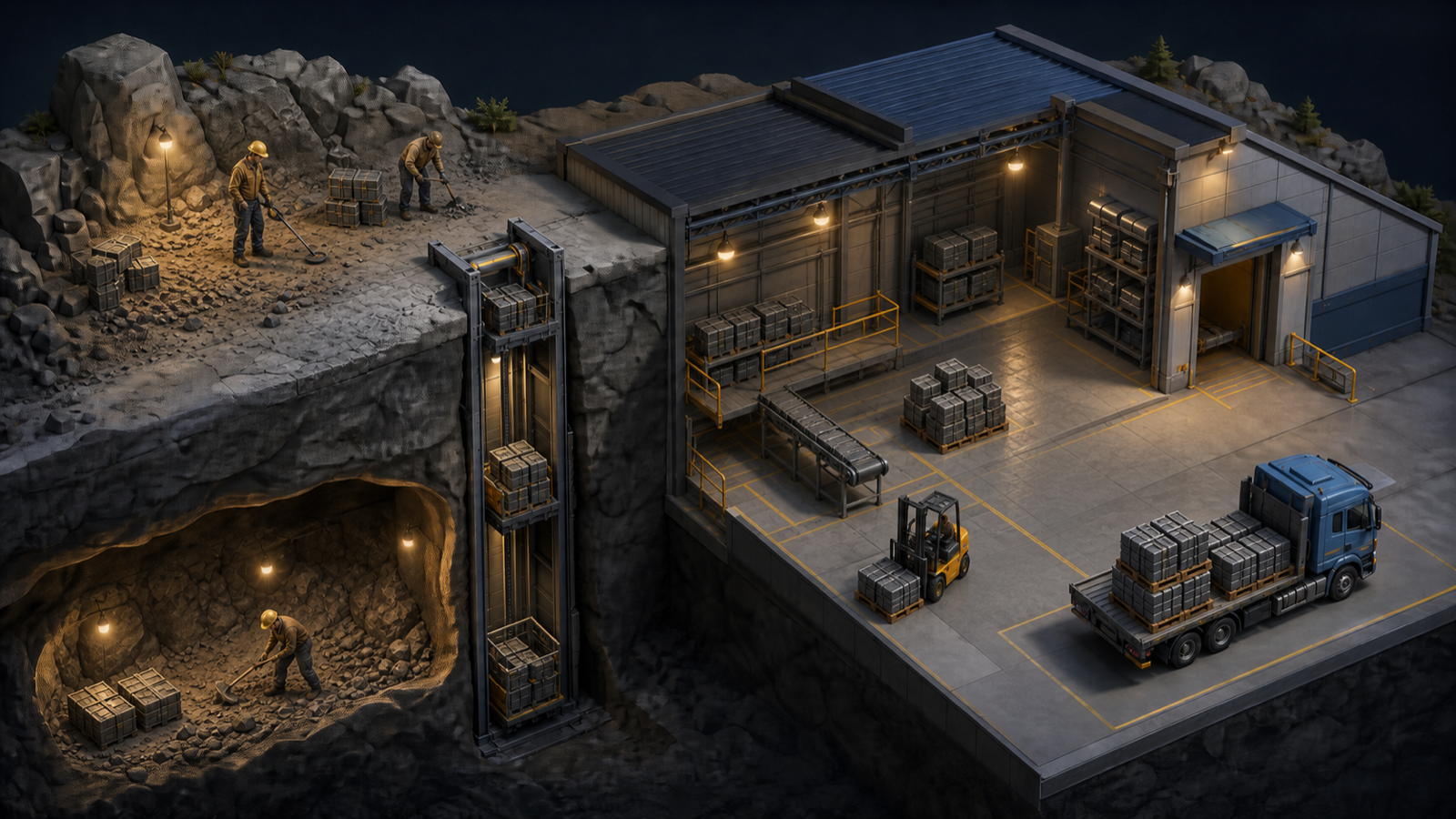
Current rule: sell finished products only after the pallet is inside marked storage and visible in Stock Sell. Reserve anything needed by an active Contract before turning surplus into cash.
To sell a finished product in Ore Factory Squad, put it on a physical product pallet and move the entire pallet inside the factory’s marked storage area. Then open Stock Sell, check tracked stock, Demand, and price per unit, and confirm the daytime transaction.
Stock Sell does not use the Pallet Packer and does not complete an accepted Contract.
QAQuick Answer
Finished Product
      ↓
Physical Product Pallet
      ↓
Fully Inside Marked Storage
      ↓
Warehouse Computer
      ↓
Stock Sell
      ↓
Check Stock + Demand + Unit Price
      ↓
Confirm Sale
If a product is visible in the warehouse but missing from Stock Sell, reposition the existing pallet before producing another batch.
On v1.0.5, use show only items currently available in stock to reduce the list before diagnosing a missing product.
STORAGEInternal Factory Storage vs Marked Product Storage
The game uses two different inventory flows.
Raw resources
Packed Mining Box
      ↓
Sorting Station
      ↓
Internal Factory Storage
      ↓
Production Machine
The Sorting Station transfers incoming raw resources into internal Factory Storage. A machine can use those materials when the correct recipe and output are configured.
Finished products
Production Machine
      ↓
Physical Product Pallet
      ↓
Marked Storage Area
      ↓
Stock Sell / Contract Planning
Finished products remain physical. The warehouse computer does not necessarily count every pallet that is visible inside the building.
For a sale, place the whole pallet:
- inside the marked boundary;
- away from the edge;
- in a position where the current stock count updates.
A pallet beside a machine, against a wall, or partly across the boundary may not be tracked.
STEPSStep-by-Step Stock Sell
Step 1: Verify the exact product
Read the pallet label.
Related stages are different:
Limestone ≠ Limestone Block ≠ Cement

Clay ≠ Clay Block ≠ Clay Brick

Copper ≠ Copper Ingot
If the current buyer lists Cement, a Limestone Block pallet does not satisfy that Stock Sell item.
Step 2: Move the pallet into marked storage
Use the available pallet-handling method to place the entire finished-product pallet inside the marked factory storage area.
Then:
- wait for the physical move to finish;
- reopen or refresh the warehouse interface;
- check whether the product and quantity now appear;
- reposition the pallet farther inside if the count is still missing.
Do not rebuild the product until the storage boundary has been ruled out.
Step 3: Open Stock Sell
Use the warehouse computer and open the current Stock Sell interface.
For the selected item, record:
- tracked stock;
- buyer Demand;
- price per unit;
- quantity that will be sold;
- total cash before confirmation.
The displayed offer owns those numbers. A guide should not replace them with a permanent “best price” table.
Step 4: Protect Contract stock
Before confirming:
- check active Contracts;
- reserve every exact required product;
- reserve intermediates needed for a current recipe;
- sell only genuine surplus;
- confirm that the sale will not force another mining trip before a deadline.
Stock Sell and Contracts can request the same product, but selling it does not advance the Contract.
Step 5: Confirm during daytime
A launch-week test found Stock Sell unavailable at night. Active factory work could continue after dark, but the final sale had to wait for a daytime window.
If the transaction is blocked at night:
- finish current production;
- move pallets into marked storage;
- clear outputs;
- reserve Contract products;
- check deadlines before using
End Day; - return to Stock Sell during daytime.
SAMPLEPartial Pallets Can Be Sold
One recorded launch-week sale used:
- 6 Sand;
- $11 per unit;
- $66 total.
This confirms that the tested Stock Sell did not require a full pallet.
It does not prove that:
- Sand is always worth $11;
- every buyer accepts any quantity;
- prices improve every day;
- the pallet’s tested amount is its maximum capacity.
Use the current offer.
DEMANDHow Demand Works
Another recorded sample showed:
- 90 Coal tracked;
- buyer Demand of 41;
- $12 per unit;
- 41 units sold;
- $492 returned.
In that sample, the completed quantity matched the smaller of:
- available tracked stock;
- displayed Demand.
Do not treat that as a complete market formula until repeated across multiple products and days.
The practical rule is:
Read Demand before the sale and check the remaining pallet afterward.
COMPAREStock Sell vs Contracts
| Route | Setup | Completion | Best use |
|---|---|---|---|
| Stock Sell | Finished pallet in marked storage | Confirm the current computer offer | Immediate cash and surplus reduction |
| Contract | Accepted order and exact finished products | Pallet Packer, completed load, vehicle, Delivery Gate | Planned production, delivery rewards, and progression |
Use Stock Sell when
- cash is needed immediately;
- a finished surplus is already tracked;
- available Contracts require products you cannot make;
- the current order deadline is too risky;
- selling part of the inventory does not block production.
Use a Contract when
- every exact product can be completed;
- the deadline is realistic;
- required machines and resources already exist;
- the order’s reward justifies reserving the inventory;
- you can complete the Pallet Packer and delivery flow.
Use the Contracts and Pallet Packer guide for accepted orders and delivery.
RECOVERYRecovering From Low or Negative Cash
One launch-week save reached -$18 after daily costs. Stock Sell remained available, and the documented Coal sale restored operating cash.
That is one recovery sample, not proof that every debt state behaves identically.
When cash is low:
- inspect tracked, replaceable surplus;
- protect active Contract quantities;
- sell only enough to restore the next required operation;
- avoid converting a temporary cash problem into a missing-resource problem;
- confirm the balance after the transaction.
Do not sell every Limestone Block if Cement production or a Block Contract still needs it.
FIXWhy a Product Is Missing From Stock Sell
| Symptom | Likely cause | Check |
|---|---|---|
| Product is visible but absent from the list | Pallet is outside or touching the marked boundary | Move the whole pallet farther inside |
| Raw resource exists but cannot be sold as the expected product | It remains in internal Factory Storage or is the wrong stage | Produce or transfer the exact sellable stage |
| Stock count is lower than the visible total | One pallet is not tracked | Inspect and reposition every pallet of that product |
| Wrong item appears | Machine output or pallet label differs from expectation | Read the exact recipe and label |
| Transaction is unavailable | It is nighttime | Prepare stock and return during daytime |
| Sale does not advance a Contract | Stock Sell and Contracts are separate | Use the Pallet Packer and Delivery Gate |
| Controller opens the wrong app during the tutorial | Launch-version controller bug | Update to v1.0.1 or later |
The v1.0.1 patch fixed a controller tutorial issue that could open the wrong application during the Stock Sell step.
DECIDEWhat Should You Sell?
There is no permanent “best item to sell” without current price, Demand, replacement difficulty, and Contract context.
Use this order:
| Inventory situation | Decision |
|---|---|
| Exact product is reserved for an active Contract | Keep the required quantity |
| Item is an intermediate for the next production stage | Keep enough for the queue |
| Large surplus of an easy basic product | Sell up to useful Demand |
| Output pallet is blocking a machine | Sell or relocate genuine surplus |
| Cash blocks a required purchase | Sell replaceable stock to restore operating cash |
| Offer looks weak and cash is stable | Keep stock that still has a clear use |
For Cement, check both Cement demand and Limestone Block needs before converting or selling everything. The Cement and Ingot guide explains product stages.
NIGHTNighttime Preparation
If Stock Sell is closed:
- keep production running only while the current queue is understood;
- move finished pallets into marked storage;
- write down tracked quantities;
- separate Contract stock;
- clear machine outputs;
- check whether an active Contract has one day remaining;
- use
End Dayonly after deadline review.
Night preparation is useful. It does not prove that every queue survives End Day or save/reload.
LOOPBeginner Integration
The first reliable factory milestone is:
Tutorial mining target
      ↓
Sorting Station
      ↓
First machine
      ↓
Product pallet
      ↓
Marked storage
      ↓
Stock Sell
If any earlier handoff is still unclear, return to the first-hour beginner guide.
FAQFrequently Asked Questions
Why is my product not showing in Stock Sell?
First move the entire physical product pallet farther inside the marked storage boundary, then reopen the interface.
Do I need a full pallet?
No in the recorded launch-week test. A partial pallet containing six Sand was sold.
Can I sell raw resources from Factory Storage?
Internal Factory Storage and tracked physical pallet stock are different. Use the exact product and storage flow shown by the current Stock Sell interface.
Does Stock Sell complete a Contract?
No. Contracts use the Pallet Packer and Delivery Gate.
Can I sell at night?
The documented launch-week Stock Sell transaction was unavailable at night. Prepare pallets and return during daytime.
Should I wait for a better price tomorrow?
No verified rule says every new day improves the offer. Compare current cash needs, Demand, Contracts, and replacement cost.