Ore Factory Squad Difficulty Modes: Easy, Normal or Hard?
Choose Easy, Normal, or Hard in Ore Factory Squad v1.1.2. Compare ore deposits, free belts, property and machine costs, and tougher contracts.
On this page
Start a working loop
- Bring / prerequisite
- Your preferred spending and contract pressure
- Check this UI first
- Difficulty Level in the current game
- Move on when
- A chosen mode whose current prices you can inspect.
v1.1.2 allows these modes in new and existing saves; it does not prove one best route.
Quick answer: which difficulty should you choose?
Choose Normal for a first factory: it is the standard balance. Choose Easy to build with free belts, cheaper properties, and more efficient ore deposits. Choose Hard for tougher contracts and higher machine and property costs. v1.1.2 allows all three modes in new games and existing saves.
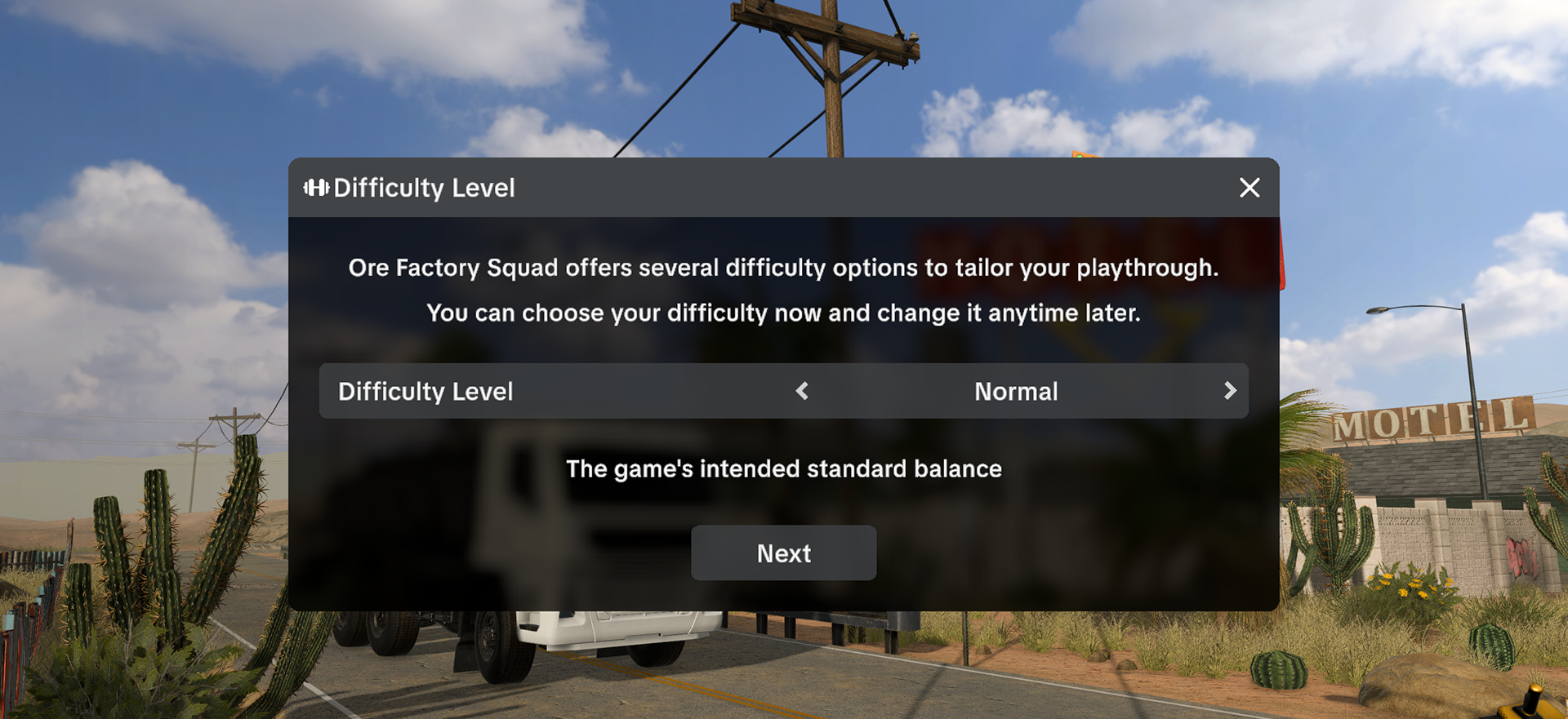
Easy, Normal, and Hard compared
| Mode | Named changes in v1.1.2 | Best fit for |
|---|---|---|
| Easy | More efficient ore deposits, free belts, cheaper properties | A player who wants to prototype belt routes or expand property access with less economic friction |
| Normal | The developer's intended standard balance | A first run, or a baseline for judging which challenge you want to change |
| Hard | Tougher contracts, more expensive machines and properties | A player who wants contracts and capital purchases to remain deliberate choices |
There is no published cost table, ore-efficiency percentage, or contract difficulty formula. Easy's free belts and cheaper properties do not establish cheaper machines; Hard explicitly raises machine and property costs.
Make the choice for your current factory
- Starting fresh and unsure? Start on Normal. It is the named standard balance, and the game allows a later change if you find a specific constraint too weak or too demanding.
- Want to experiment with long or branching conveyors? Easy removes belt purchase cost. This does not fix a physically blocked output; use the belt bottleneck guide when items stop moving.
- Need to reach a resource on another production property? Easy makes properties cheaper, but the announcement does not provide prices or unlocks. Compare the resource need in the property guide before spending.
- Want the economy and contract deadlines to bite harder? Hard is the supported choice. Check the actual offer and machine price in your save; the notes do not give fixed values.
For a new game, the screen above shows left/right arrows around the selected mode and a Next button. The update also allows a difficulty change in an existing save; its announcement does not give the loaded-save menu path.
Continue with your factory task
Check the resource, accepted contract, and destination space in your own factory before changing a route. For spending, use the upgrade order guide; for customer delivery, use the Contracts and Pallet Packer guide. See the v1.1.2 update tracker for the release context.
Source and version
- Official After Hours v1.1.2 patch notes, published October 1, 2026 — the named modes, their listed differences, existing-save support, and the official Difficulty Level image.
Checked October 3, 2026. Exact modifiers and the loaded-save settings path are not published in the announcement.