Ore Factory Squad Best Upgrade Order & License Guide
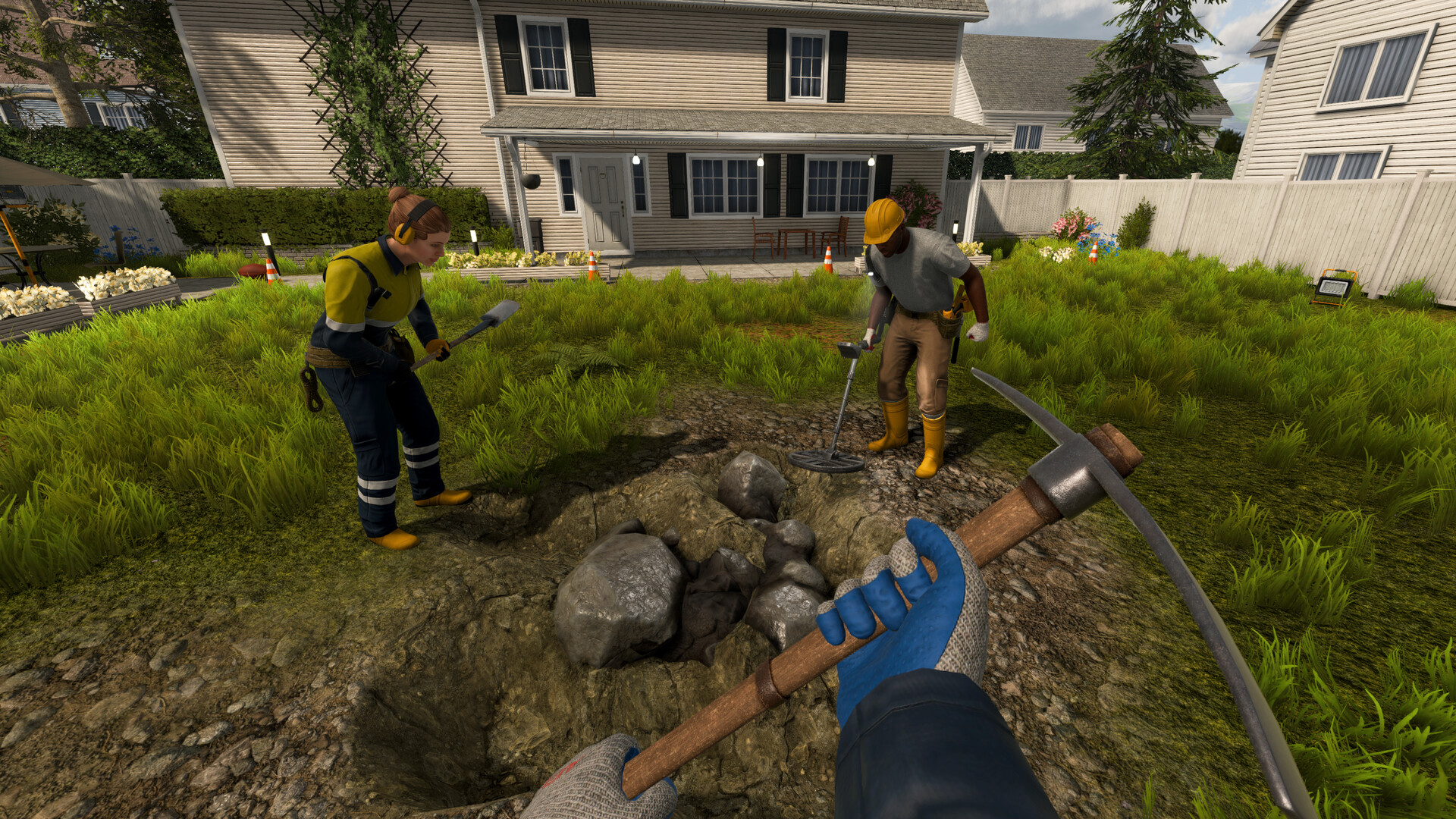 FIELD LOG // EARLY PROGRESS
Use this order for the current v1.1.1 baseline. Buy the next upgrade only when it removes the bottleneck you can see. The Excavator branch is optional; move it earlier only when shallow vehicle digging is already your limiting task.
MASTERS OF OIL // PROGRESSION
Add the oil branch when oil is the first proven blocker
v1.1.0 adds the Petrochemical License, Off-Site Mining Training, a new factory size with four storage-output sockets, a higher level cap, Merge Robot, and stackable building boxes. Those are live options in v1.1.1, not a universal new purchase order.
First prove an Oil Reserve, Pipe Head, Tanker, and Oil Tank handoff. Then buy or place the next oil component only when it unlocks the product you actually need. The release does not publish prices, unlock costs, or a best sequence. Use the Masters of Oil hub for the chain and the oil layout guide when space or output access is the observed limit.
QADefault Beginner Upgrade Order
- Secure cash flow: establish one repeatable basic Contract and Stock Sell loop.
- Improve extraction: upgrade the mining tool that fixes your slowest repeated action.
- Find known resources: buy the Detector only when Remaining Resources confirms the target exists but you cannot locate it.
- Reuse a deep route: build the Mining Lift when Mid or Deep resources justify repeated travel.
- Change property if required: switch only when the active property cannot supply the exact resource blocking the next stage.
- Enter Metal Processing: buy the license and machine together when Copper or Iron is available and Ingots are the blocker.
- Automate last: buy Warehouse Automation only when manual pallet movement dominates your time and you can afford the complete setup.
Use four checks before changing the order: required resource, time bottleneck, full-system cost, and the next unlock it enables.
Move the Excavator branch earlier only when repeated excavation is the measured bottleneck and both the license and vehicle are visible in your save. Move a property, Detector, or Lift earlier only when the current resource screen proves that need.
This is the safest beginner default, not a universal speedrun order. Procedural property resources, current Contracts, remaining stock, and player workload can justify a change.
Buy the complete solution to the first proven bottleneck. Do not buy one attractive component of a system you cannot yet use.
Do not use fixed cash tiers such as $0–5k, $5k–20k, and $20k+. A launch-week Mining Lift Head cost only $25, while the first tested metal-processing core cost $3,500. Those old bands do not match the current progression.
OPTIONAL BRANCH
When the Excavator branch is justified
Buy the Excavator License when you want a vehicle for shallow digging and already have a working mining-to-sale loop. v1.0.9 adds ISO and SAE controls, joystick keybindings, rear storage, a larger digging area, unlimited swing rotation, and fewer stuck cases.
Do not buy it as a universal replacement for hand tools. Check the live License and Marketplace UI before spending, then use the Mini Excavator guide for setup and the current limitations.
SNAPSHOTTested Progression Snapshot
Early opening
A reliable early loop includes:
- Greenpark/basic-property resources;
- a working Sorting Station;
- simple production machines such as the Stone Crusher;
- finished pallets inside tracked storage;
- one achievable contract route;
- Stock Sell for immediate cash;
- Shovel, Pickaxe, or Detector upgrades chosen by need;
- a usable Mining Lift before deep recovery becomes repetitive.
Level 3 observation
In one launch-week run, Mining Lift parts were available in the Mine & Lift equipment section during Level 3 progression:
| Component | Observed price |
|---|---|
| Mining Lift Head | $25 |
| Lift Extension | $10 |
This does not prove that Level 3 alone is the exact unlock trigger in every save. It does prove that the Lift is not a $20k+ late-game license.
Level 4 observations
Separate launch-week progression captures confirm these Level 4 developments:
- Metal Processing License #1 and the Smelting Furnace became available;
- Dynamite appeared in the upgrade panel;
- Forest became available as the next metal-focused property direction.
Observed costs relevant to this stage:
| Upgrade or machine | Observed price |
|---|---|
| Detector | $500 |
| Dynamite unlock | $600 |
| Each Dynamite throw | $50 |
| Metal Processing License #1 | $2,000 |
| Smelting Furnace | $1,500 |
| Metal-processing core total | $3,500 |
| Jackhammer display price | $1,500 |
The $3,500 total covers only the first License and Smelting Furnace. It does not include every pallet, property, transport, or later production expense.
Level 5 unlock screen
The tested Level 5 panel included:
- Metal Processing License #2;
- Warehouse Automation License;
- Factory Size expansion;
- another Pickaxe upgrade;
- Fabrication Station;
- Pallet Dispenser.
One later metal-related License was displayed at $4,000 in that run. The exact later Plate recipe, machine sequence, and production time were not fully verified.
TREERecommended Upgrade Decision Tree
    [ What stops progress right now? ]
                    │
        ┌───────────┼───────────┬──────────────┐
        ▼           ▼           ▼              ▼
    Extraction   Location    Production      Logistics
      too slow   uncertain     blocked         manual
        │           │           │              │
        ▼           ▼           ▼              ▼
    Tool upgrade  Detector   Required License  Warehouse
    or new route  / Property  + full machine   Automation
                              chain            only if complete
Add a fifth branch:
    Required resource absent from active property
                       │
                       ▼
          Preserve basic-material reserves
                       │
                       ▼
        Replace it with a suitable property
PHASE 1Stabilize the Basic Cash Loop
Before buying an advanced system:
- mine resources available in the active property;
- send raw resources through the Sorting Station;
- produce an exact finished product;
- keep its pallet inside the marked storage area;
- complete a contract you can already fulfill;
- use Stock Sell for confirmed surplus;
- keep enough cash to finish the next purchase chain.
Do not begin by refining Iron or Copper if the current property only supplies basic materials. The first metal-processing stage appeared at Level 4 in the tested run.
PHASE 2Choose the Correct Mining Upgrade
Buy the Detector when location is the bottleneck
The Detector is useful when:
- Remaining Resources confirms the target exists;
- easy visible deposits are gone;
- the target remains in Mid or Deep;
- repeated blind digging costs more time than the upgrade.
Delay it when visible material remains or a production machine—not locating raw material—is the real blocker.
Buy Dynamite for access, not routine mining
Dynamite is valuable for:
- a confirmed Secret Cave entrance;
- a thick obstruction;
- a direct route toward a confirmed target.
It reduces total resource yield and costs another $50 for each throw in the observed build. Do not use it as a general ore-profit upgrade.
Buy the Jackhammer when repeated excavation is the bottleneck
The displayed launch-week price was $1,500. A direct Detector-versus-Dynamite-versus-Jackhammer efficiency formula was not completed, so choose by task:
- Detector locates;
- Dynamite clears a specific obstruction;
- Pickaxe recovers exposed material precisely;
- Jackhammer supports repeated mechanical excavation.
Extend the Mining Lift when depth is the bottleneck
Check Remaining Resources first. The Lift is most useful when the target remains in Mid or Deep and you expect to reuse the route.
For the tested build process, see the Mining Lift guide.
PHASE 3Enter Metal Processing Deliberately
Choose Metal Processing License #1 and the Smelting Furnace when:
- Copper or Iron is already in Factory Storage;
- Ingot contracts or later production require it;
- you can afford the License and machine together;
- an output pallet and factory space are ready.
The tested workflow is:
    Raw Copper / Raw Iron
            │
            ▼
      Sorting Station
            │
            ▼
      Factory Storage
            │
            ▼
      Smelting Furnace
            │
            ▼
    Copper Ingot / Iron Ingot Pallet
The same Smelting Furnace can select Copper Ingot or Iron Ingot. The exact raw-metal ratio and per-Ingot production time were not recorded, so do not assume 1:1.
PHASE 4Decide Whether Warehouse Automation Is Ready
Do not buy Warehouse Automation simply because the Level 5 panel shows it.
The system can involve:
- Warehouse Automation License;
- Warehouse Robot;
- Drop Zones;
- Pallet Dispenser;
- Palletizer and related pallet equipment;
- enough factory space for valid work routes.
The official Full Automation achievement requires a Warehouse Robot, Palletizer, and Drop Zone in one working setup. Buying one piece does not automatically replace the Forklift or the contract-specific Pallet Packer.
Choose this branch when:
- manual pallet movement consumes most of the workday;
- production is already reliable;
- the complete system is affordable;
- you have a clear start and destination for the tested work order.
Otherwise, complete another basic contract and preserve cash.
PHASE 5Change Property for the Right Resource
Do not leave a property only because its Surface is empty. Check all three layers.
Change property when:
- the next production stage requires a resource not present there;
- the last useful Detector readings require disproportionate travel;
- basic-material reserves can support existing contracts;
- underground boxes and useful loose items have been recovered;
- the next property and required processing chain are affordable.
Forest is the important Level 4 direction when Copper, Iron, Bronze, or Steel blocks progress. It is not automatically the best choice when you still need more Limestone, Clay, Stone, Coal, or Sandstone.
OLD DATAWhat Not to Buy Based on the Old Guide
Current reliable sources do not confirm licenses named:
Standard Conveyor Belt License;Standard Smelter License;Splitter & Merger License;Cement Kiln License;Clay Brick Oven License;Automatic Pallet System License;Forklift Dealership License;Heavy-Duty Mining Lift License.
Use the exact names visible in the current License and Marketplace interfaces.
The following old progression sequence is also unsafe:
    Iron/Copper first
      → Filter Splitter/Merger
      → APS/Cement Kiln/Brick Oven
      → $20k+ Mining Lift
It conflicts with tested Level 3, 4, and 5 progression and uses multiple unconfirmed entities.
MISTAKESCommon Upgrade Mistakes
Buying by unlock order instead of bottleneck
An unlocked item can remain poor value if its required input, property, or companion equipment is missing.
Spending the entire balance on one incomplete system
Keep enough working cash for the required License, machine, output handling, and next achievable contract.
Changing property without a basic-material reserve
Forest advances metal production but does not automatically replace every basic resource in the quantities your current orders need.
Treating contract payout as pure profit
Record required materials, production time, Dynamite use, new licenses, and machine purchases before ranking an item by ROI.
Buying Warehouse Automation before production is stable
Robots cannot correct a wrong recipe, missing product stage, blocked output, or impossible contract.
Use the beginner guide for the complete opening route. When Metal Processing becomes the bottleneck, continue with the Cement and Ingot recipe guide; when the active site lacks the required material, use the property-switching guide.
FAQFrequently Asked Questions
What is the best first upgrade?
There is no universal first choice. Upgrade the Shovel or Pickaxe when extraction is slow, the Detector when locating a known resource is slow, or save cash when the next required machine is the real blocker.
Should I buy Metal Processing or Warehouse Automation first?
Choose Metal Processing when Copper or Iron is already stored and Ingot production blocks progress. Choose Warehouse Automation when manual pallet movement is the main workload and you can afford the complete system.
Is the Mining Lift late game?
No. One tested run used Lift parts during Level 3 progression, at $25 for the Head and $10 per Extension.
Which products have the best ROI?
No controlled, versioned dataset currently proves that Cement, Clay Brick, Foam Glass, or Gravestone has the universal highest return. Compare your own stock, machine readiness, deadline, and negotiated payout.
Are machine prices permanent?
No. The official roadmap includes machine-pricing and XP-pacing balance work. Always attach a version and verification date to price tables.
NEXTRelated Guides
Sources
- Ore Factory Squad official Steam page
- Official v1.1.1 oil hotfix
- Official v1.1.0 Masters of Oil announcement
- Official v1.0.9 Excavator controls and storage announcement
- Official roadmap and patch notes
- Official Steam achievements
- Launch-week Level 5 progression route
- Launch-week Copper and Iron Ingot test
- Launch-week Mining Lift test